> ## Documentation Index
> Fetch the complete documentation index at: https://docs.blinkops.com/llms.txt
> Use this file to discover all available pages before exploring further.
# Split
> Split.io is a feature delivery and experimentation platform that helps companies manage and optimize their software releases. You can use Split with Blink to automatically and continuously deliver high-quality software with faster release cycles, reduced downtime, improve incident response, and improved customer experience.
## Creating a Split connection[](#creating-a-split-connection "Direct link to Creating a Split connection")
## Using Admin API Key[](#using-admin-api-key "Direct link to Using Admin API Key")
To create the connection you need:
* An Admin API Key
### Obtaining the credentials[](#obtaining-the-credentials "Direct link to Obtaining the credentials")
1. In your Split workspace, click **workspace initials** > **Admin Settings**.
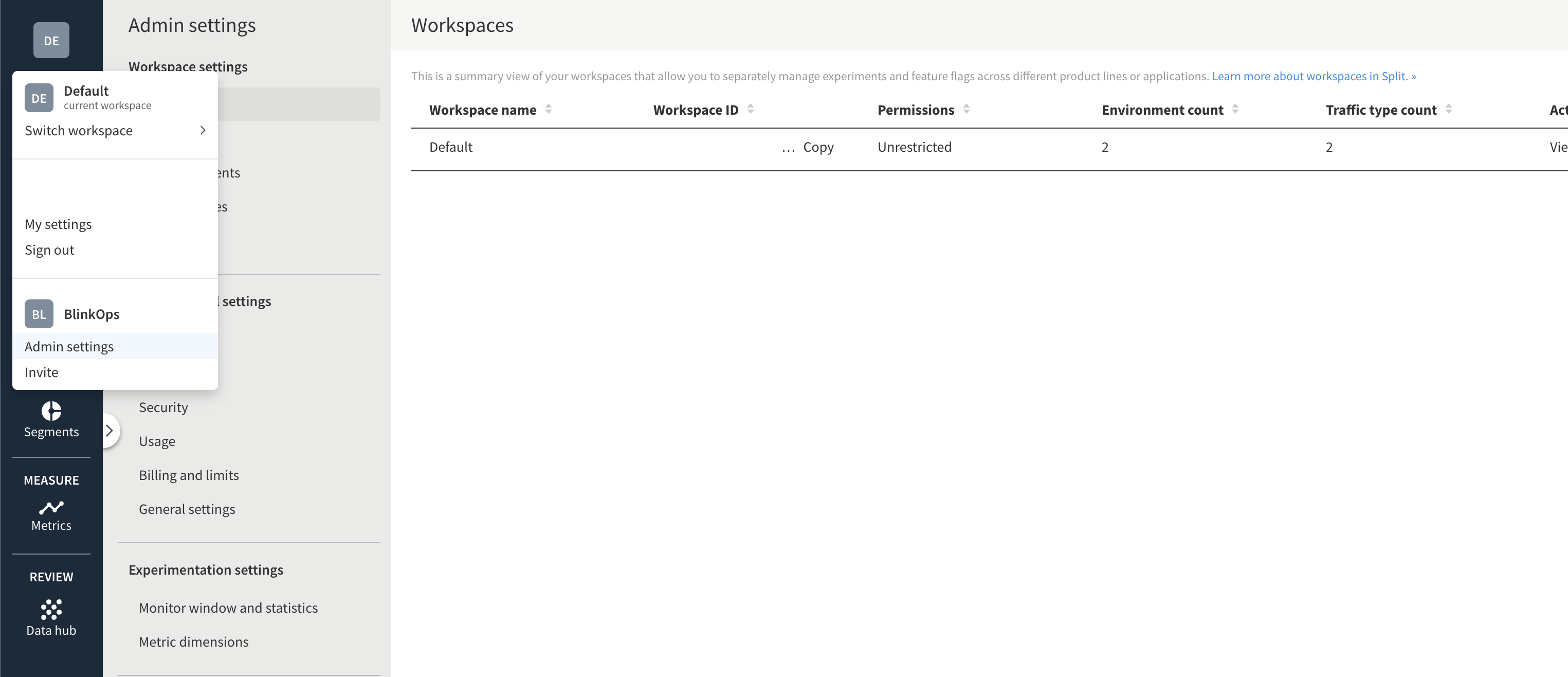 2. In the admin settings panel, click **API keys** > **Create API key**.
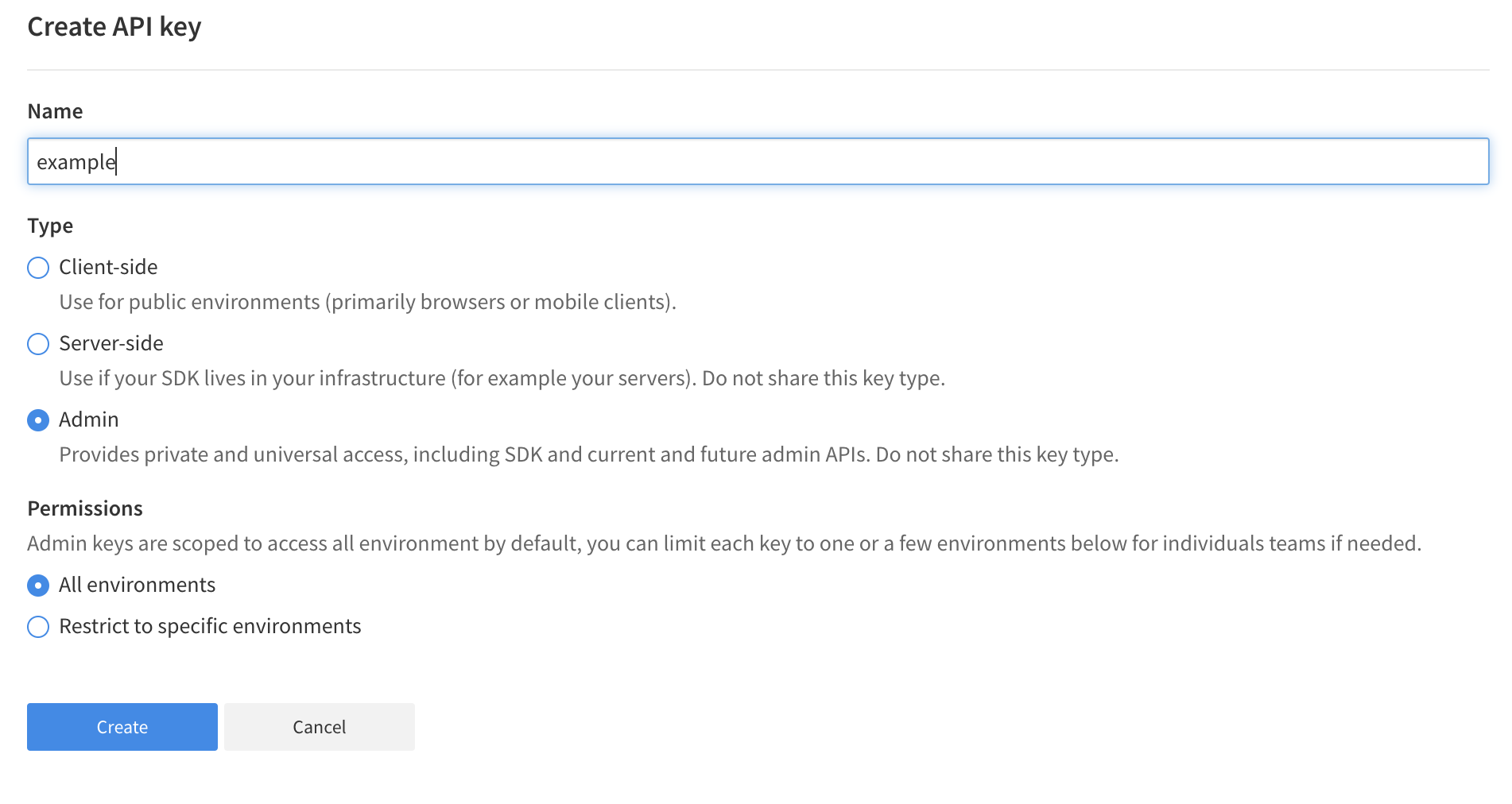
 3. Create a new Admin API key. You can choose to limit its functionality to specific environments in the workspace.
 ### Creating your connection[](#creating-your-connection "Direct link to Creating your connection")
1. In the Blink platform, navigate to the **Connections** page > **Add connection**. A New Connection dialog box opens displaying icons of external service providers available.
2. Select the **Split** icon. A dialog box with name of the connection and connection methods appear.
3. (Optional) Edit the name of the connection. At a later stage you cannot edit the name.
4. Select **Admin API Key** as the method to create the connection.
5. Fill in the parameters:
* The Admin API Key
6. (Optional) Click **Test Connection** to test it.
7. Click **Create connection**. The new connection appears on the **Connections** page.
### Creating your connection[](#creating-your-connection "Direct link to Creating your connection")
1. In the Blink platform, navigate to the **Connections** page > **Add connection**. A New Connection dialog box opens displaying icons of external service providers available.
2. Select the **Split** icon. A dialog box with name of the connection and connection methods appear.
3. (Optional) Edit the name of the connection. At a later stage you cannot edit the name.
4. Select **Admin API Key** as the method to create the connection.
5. Fill in the parameters:
* The Admin API Key
6. (Optional) Click **Test Connection** to test it.
7. Click **Create connection**. The new connection appears on the **Connections** page.