> ## Documentation Index
> Fetch the complete documentation index at: https://docs.blinkops.com/llms.txt
> Use this file to discover all available pages before exploring further.
# Array Utilities
> Utility actions for manipulating, filtering, and transforming array data in Blink workflows.
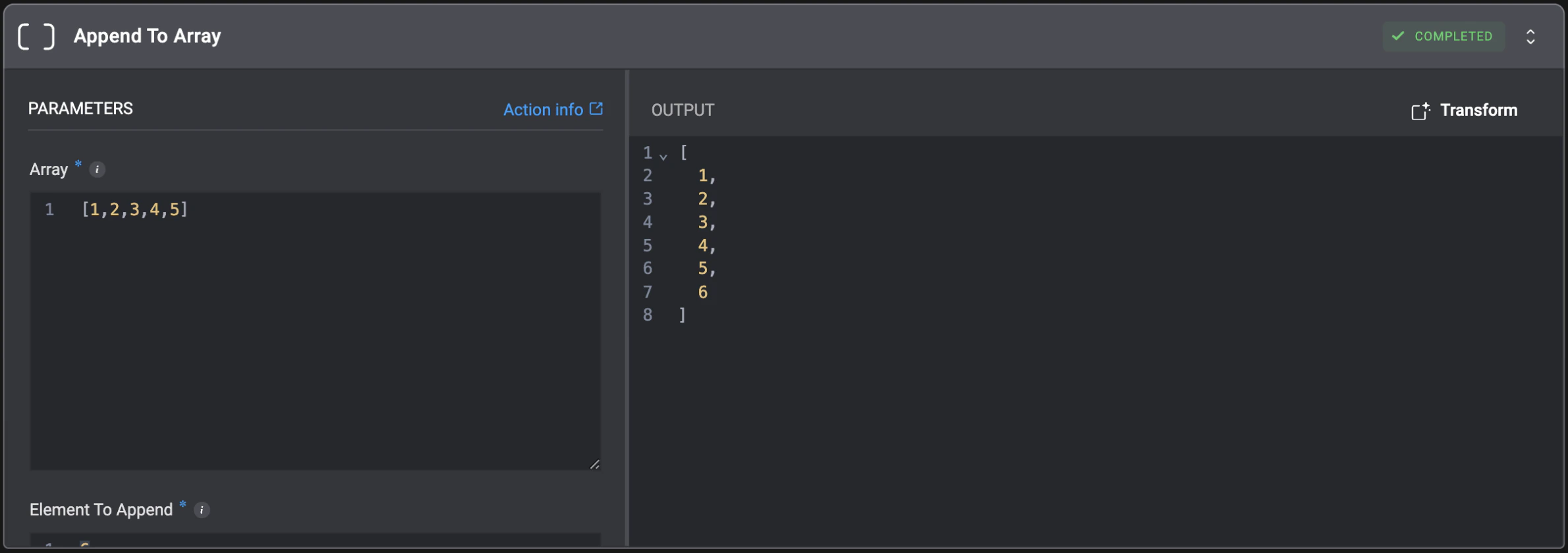
## Append To Array
Append an element to an array.
| Parameter | Description |
| ----------------- | ------------------------------------------ |
| Array | The source array to append the element to. |
| Element To Append | The element to append to the array. |
 ## Append To JSON List
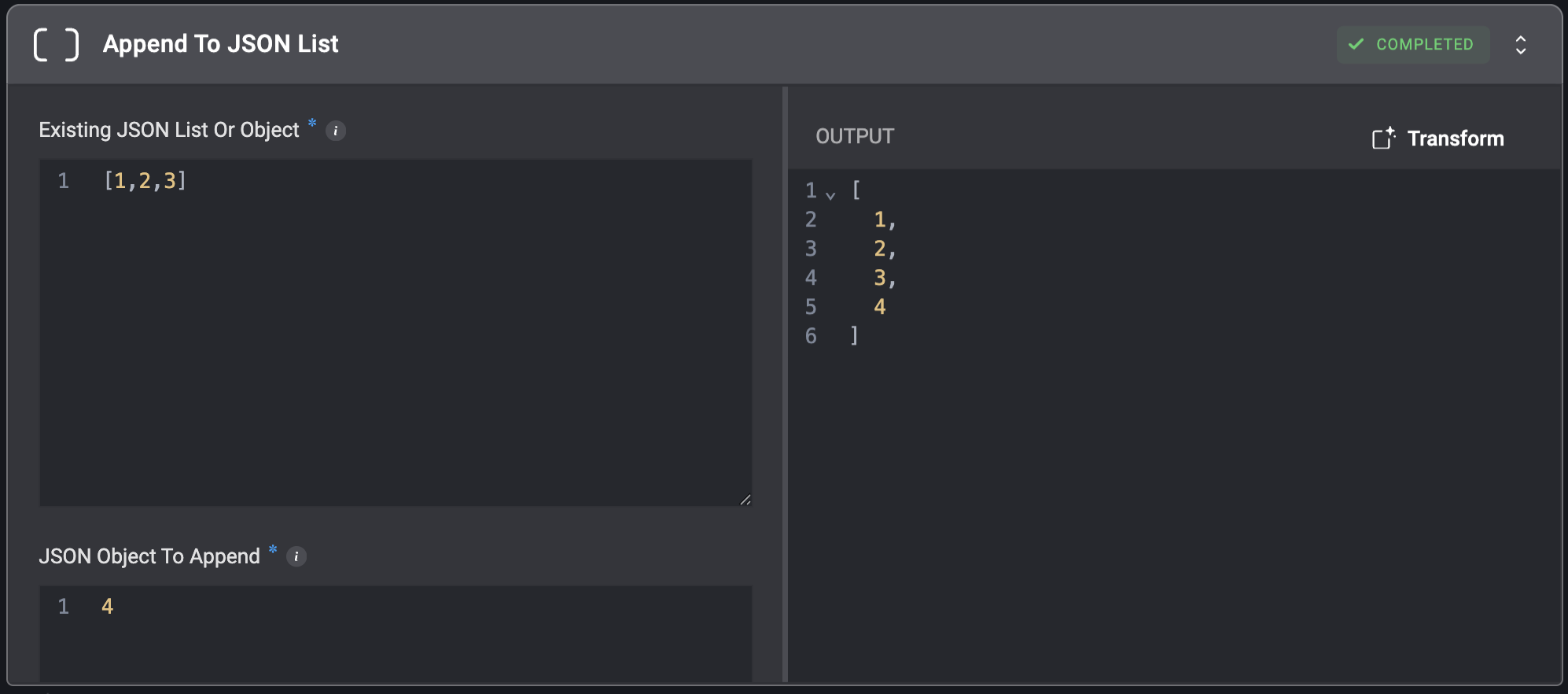
Append an object to a list within a JSON object. The object will be added even if it already exists within the list.
## Append To JSON List
Append an object to a list within a JSON object. The object will be added even if it already exists within the list.
| Parameter | Description |
| ---------------------------- | -------------------------------------------------------------------------------------------------------------------------------------------------------------------------------------------------------------------------------------------------------------------------------------------------------------------------- |
| Existing JSON List Or Object | The JSON list or object to which the new object will be appended. Note that nested keys are only applicable to JSON objects, not lists. If the existing JSON is a list, direct appending to the end of the list is used. Also, ensure that the nested key provided points to an existing JSON list inside the JSON object. |
| JSON Object To Append | The object data to append. |
| Nested Object Key | The nested object key to append the data to. This parameter can only be used when the existing JSON is an object. |
 ## Append To List (Deprecated)
This utility has been deprecated and will no longer be available in new workflows. You can use `Append To Array` instead.
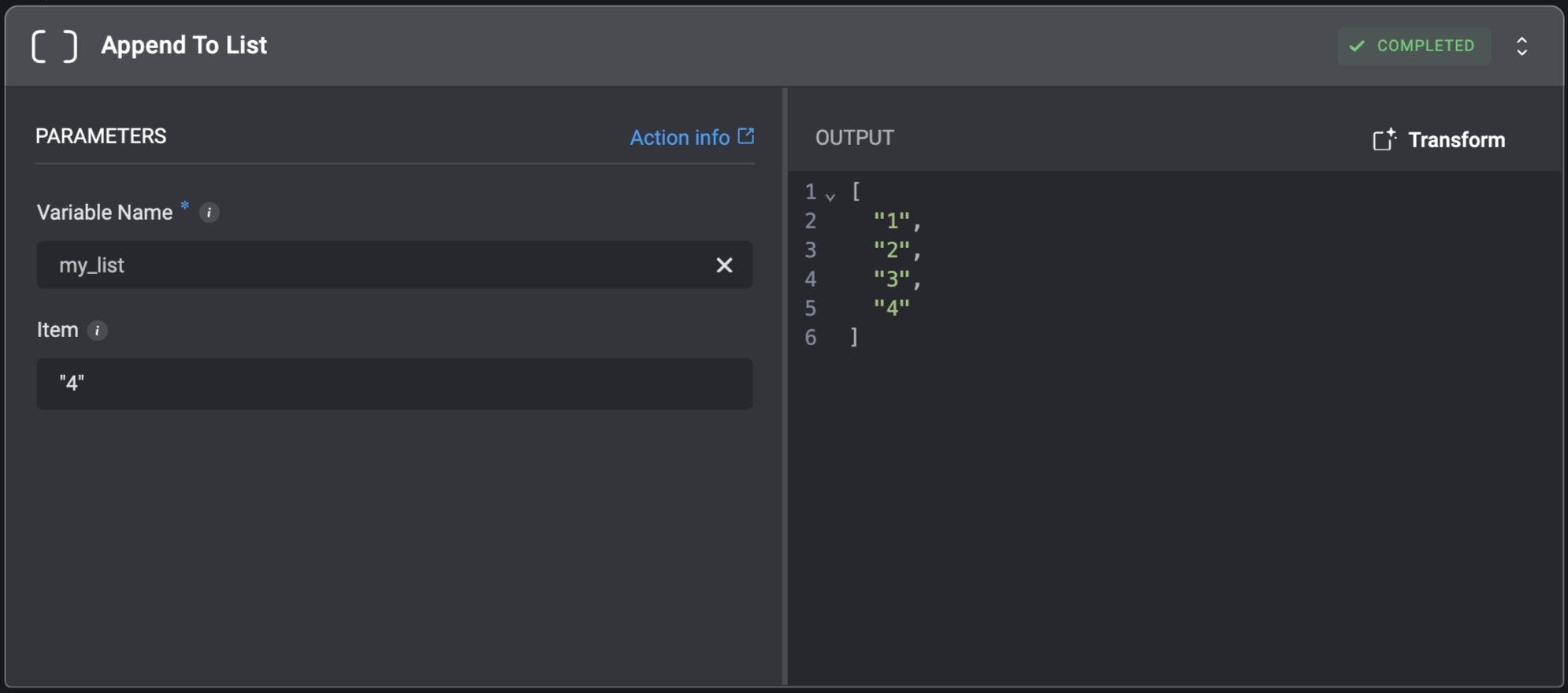
Append an item to the end of a list. If the variable does not exist, the action will create a new list automatically.
## Append To List (Deprecated)
This utility has been deprecated and will no longer be available in new workflows. You can use `Append To Array` instead.
Append an item to the end of a list. If the variable does not exist, the action will create a new list automatically.
| Parameter | Description |
| ------------- | ------------------------- |
| Variable Name | The name of the variable. |
| Item | Item to add to list. |
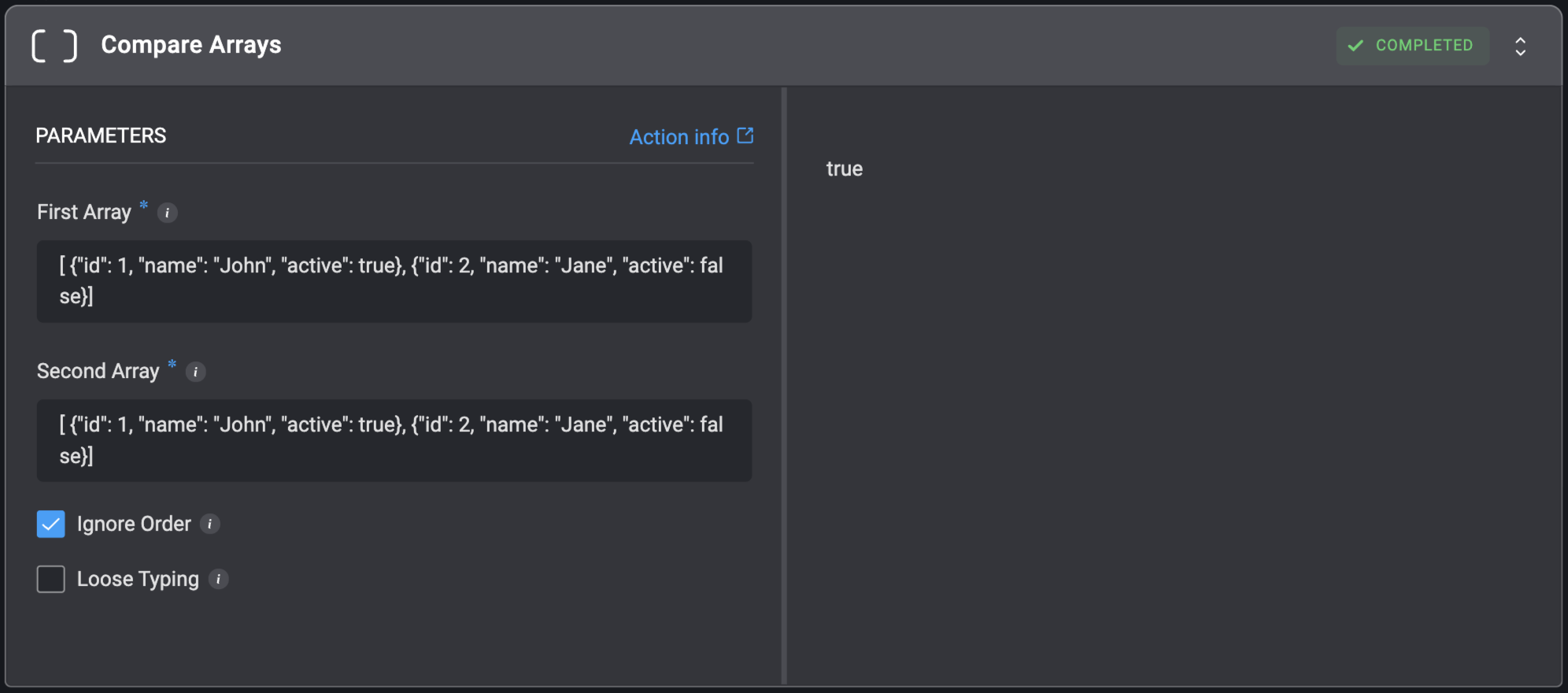
 ## Compare Arrays
Compare two arrays and determine if they are equal.
## Compare Arrays
Compare two arrays and determine if they are equal.
| Parameter | Description |
| ------------ | -------------------------------------------------------------------------------------------------------------------------------------- |
| First Array | The first array to compare with the `Second Array`. Value must be a valid array or a comma-separated list. |
| Second Array | The second array to compare with the `First Array`. Value must be a valid array or a comma-separated list. |
| Ignore Order | When checked, arrays will be considered equal even if elements appear in a different order. |
| Loose Typing | When checked, enables type coercion during comparison (e.g., number `12` equals string `"12"`, boolean `true` equals string `"true"`). |
 ## Concat Arrays
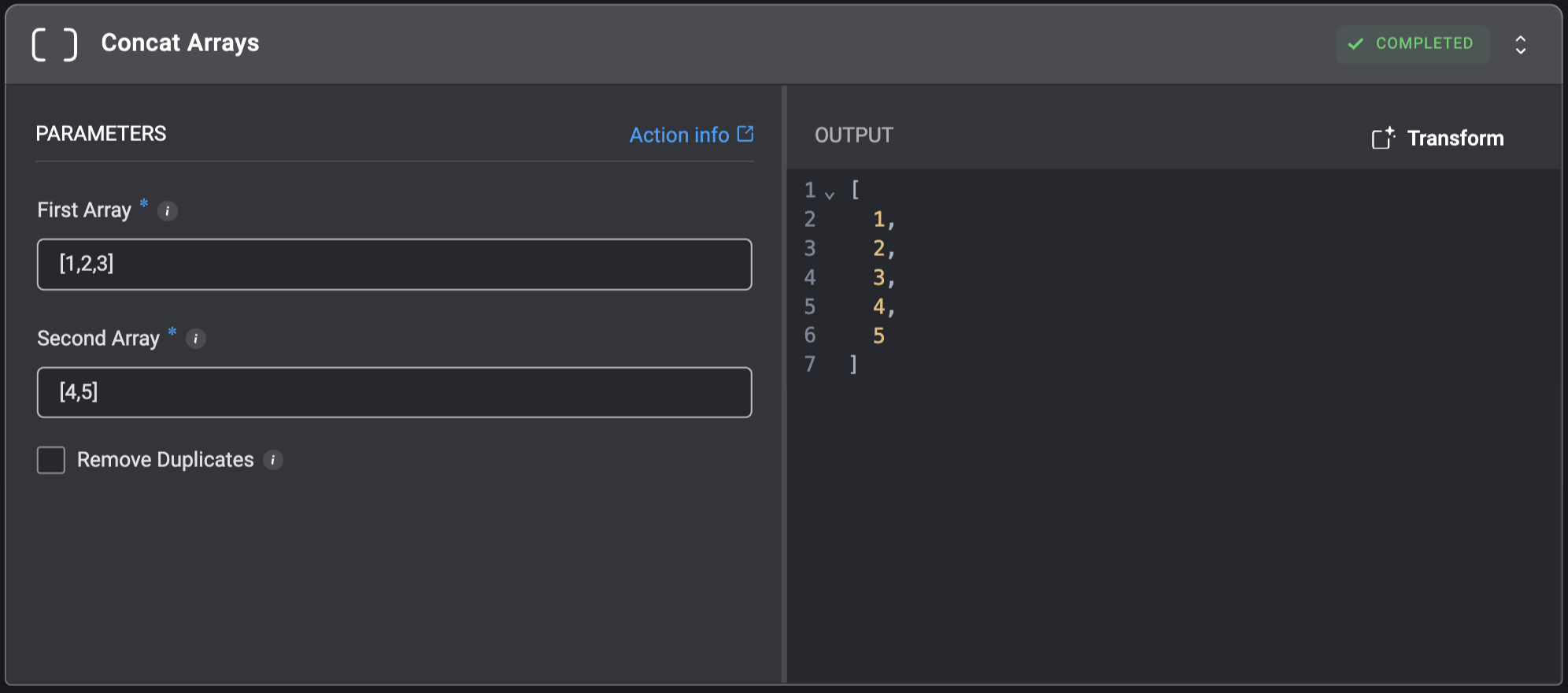
Combine two arrays into a single array containing all elements from both.
## Concat Arrays
Combine two arrays into a single array containing all elements from both.
| Parameter | Description |
| ----------------- | ----------------------------------------------------------------------------------------------------------------------------------- |
| First Array | The initial array whose elements will appear at the beginning of the result. Value must be a valid array or a comma separated list. |
| Second Array | The array whose elements will be appended after the first array. Value must be a valid array or a comma separated list. |
| Remove Duplicates | When checked, repeated values in the final combined array are removed. |
 ## Extract Field From Array
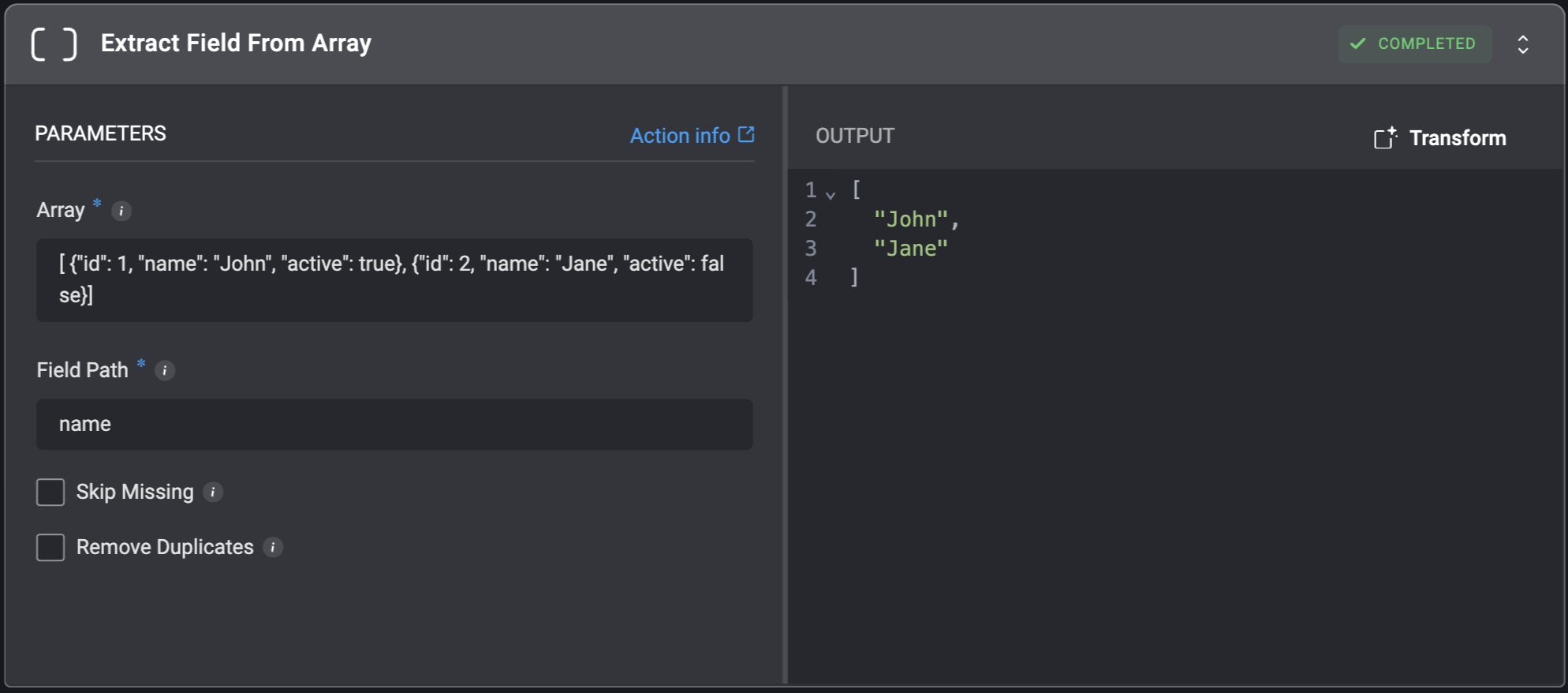
Extract a specific field from each item in an array and get the values as a new array.
## Extract Field From Array
Extract a specific field from each item in an array and get the values as a new array.
| Parameter | Description |
| ----------------- | ---------------------------------------------------------------------------------------------------------------------------------------------------------------------------------------------------------------------------------------------------------------------------------------------------------------------------------------------------------------------------------------------------------------------------------------------------------------------------------------------------------------------------------------- |
| Array | The array from which to extract the specified field.
Value must be a valid array or a comma-separated list. |
| Field Path | The name or path of the field to extract from each array item.
- For top-level properties, simply use the property name (e.g., `id`).
- For nested properties, use dot notation (e.g., `details.id`).
For example, given this array:
`[{"userId": "user123","details": {"id": "id123"}},{"userId": "user789","details": {"id": "id789"}}]`
- Using `userId` would extract:
\["user123", "user789"] - Using `details.id` would extract:
\["id123", "id789"]
|
| Skip Missing | When checked, records with missing fields will be excluded from the result.
When unchecked, records with missing fields will be included with `null` values. |
| Remove Duplicates | When checked, repeated values in the final array are removed. |
 ## Extend List
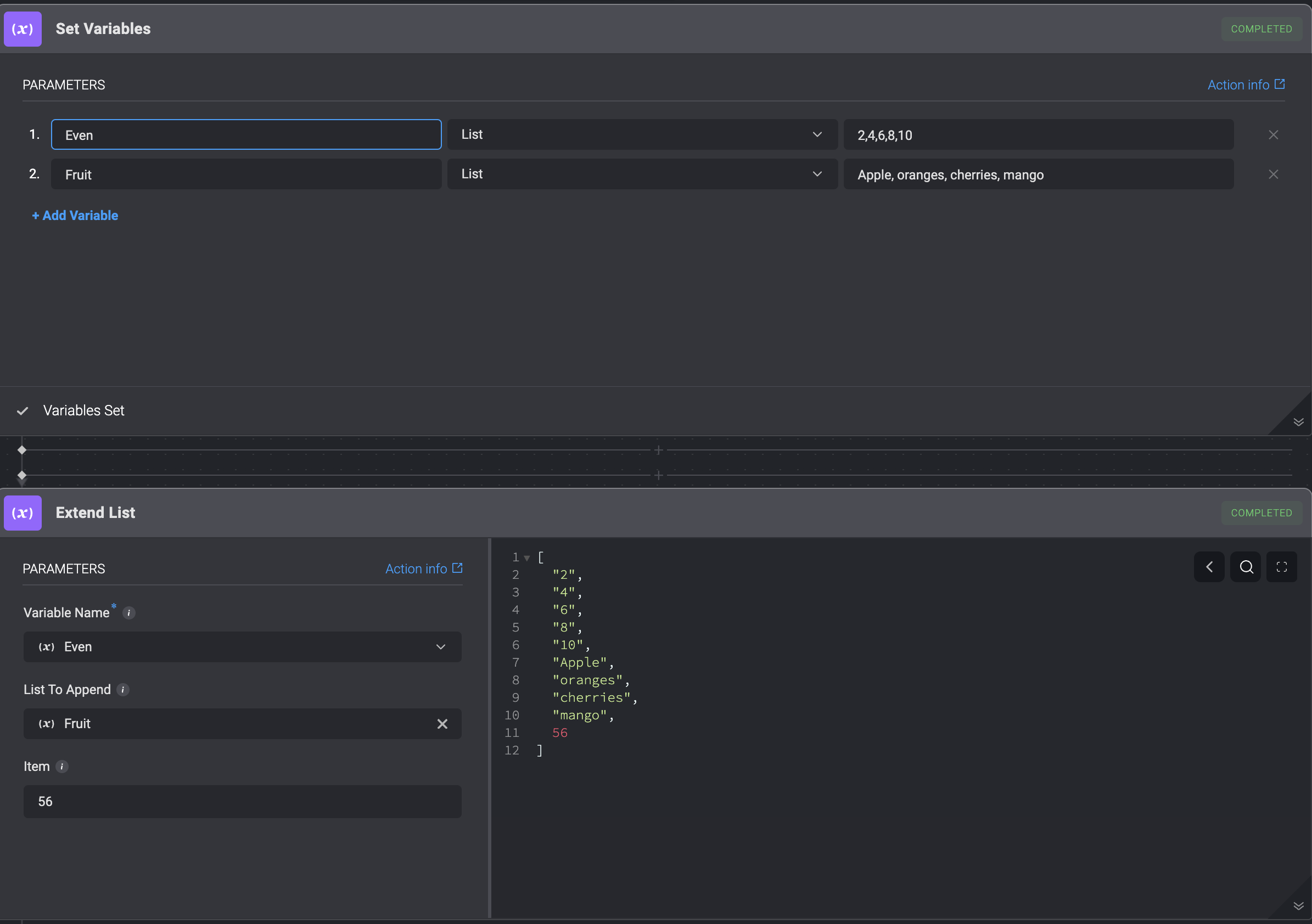
The **Extend List** utility action allows you to **append an item** to the end of your list or **append a second list** onto the end of your original list.
You can choose the **list** you want to **append** to by clicking on the dynamic dropdown menu and selecting your preferred **list**.
## Extend List
The **Extend List** utility action allows you to **append an item** to the end of your list or **append a second list** onto the end of your original list.
You can choose the **list** you want to **append** to by clicking on the dynamic dropdown menu and selecting your preferred **list**.
| Parameter | Description |
| -------------- | -------------------------------------- |
| Variable name | The name of the original list variable |
| List to append | The name of second list to append. |
| Value | Name of the item to append to the list |
The **Extend List** utility action enables you to:
1. Append a variable to the end of an original list
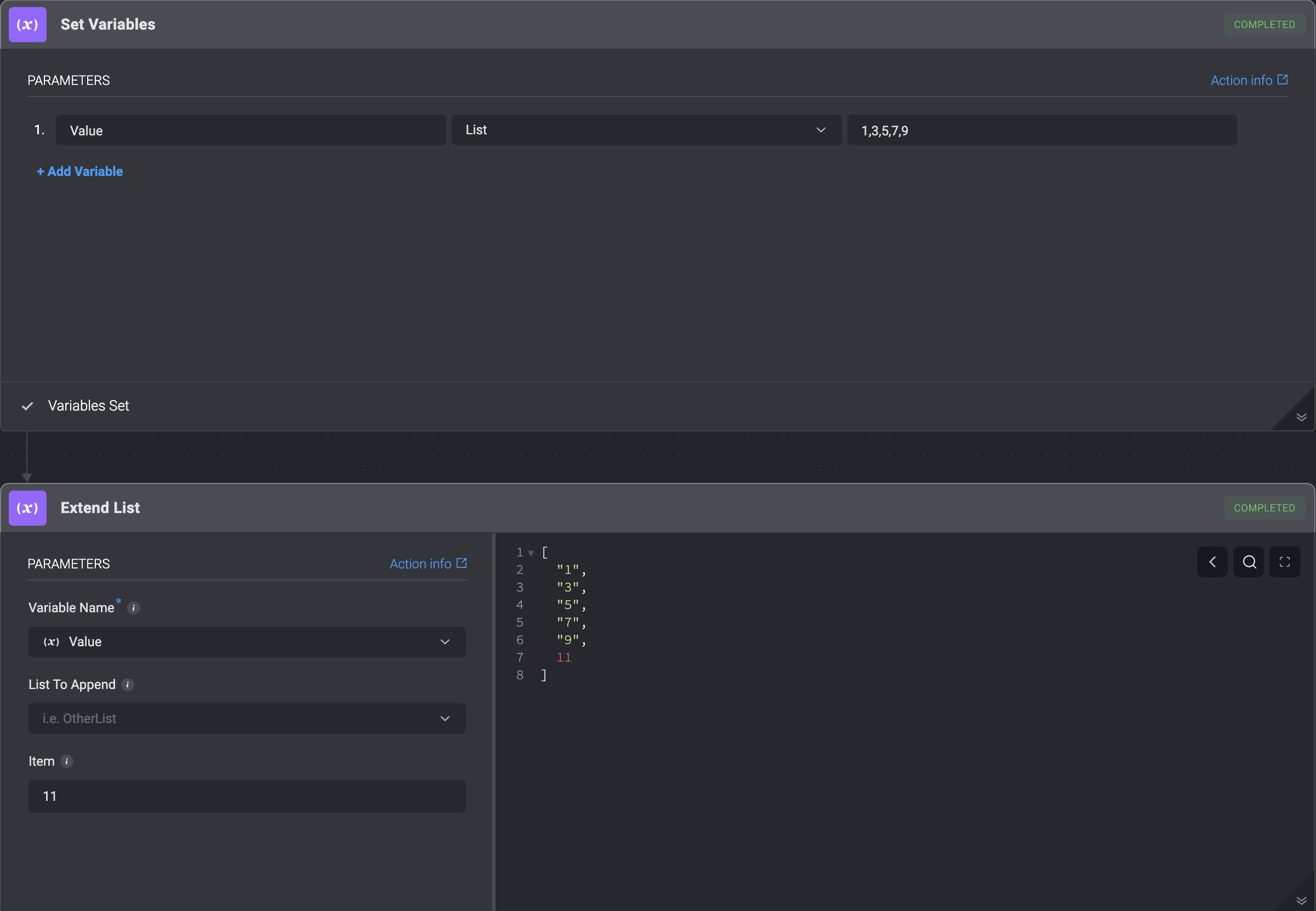 2. Append a second list to the end of an original list
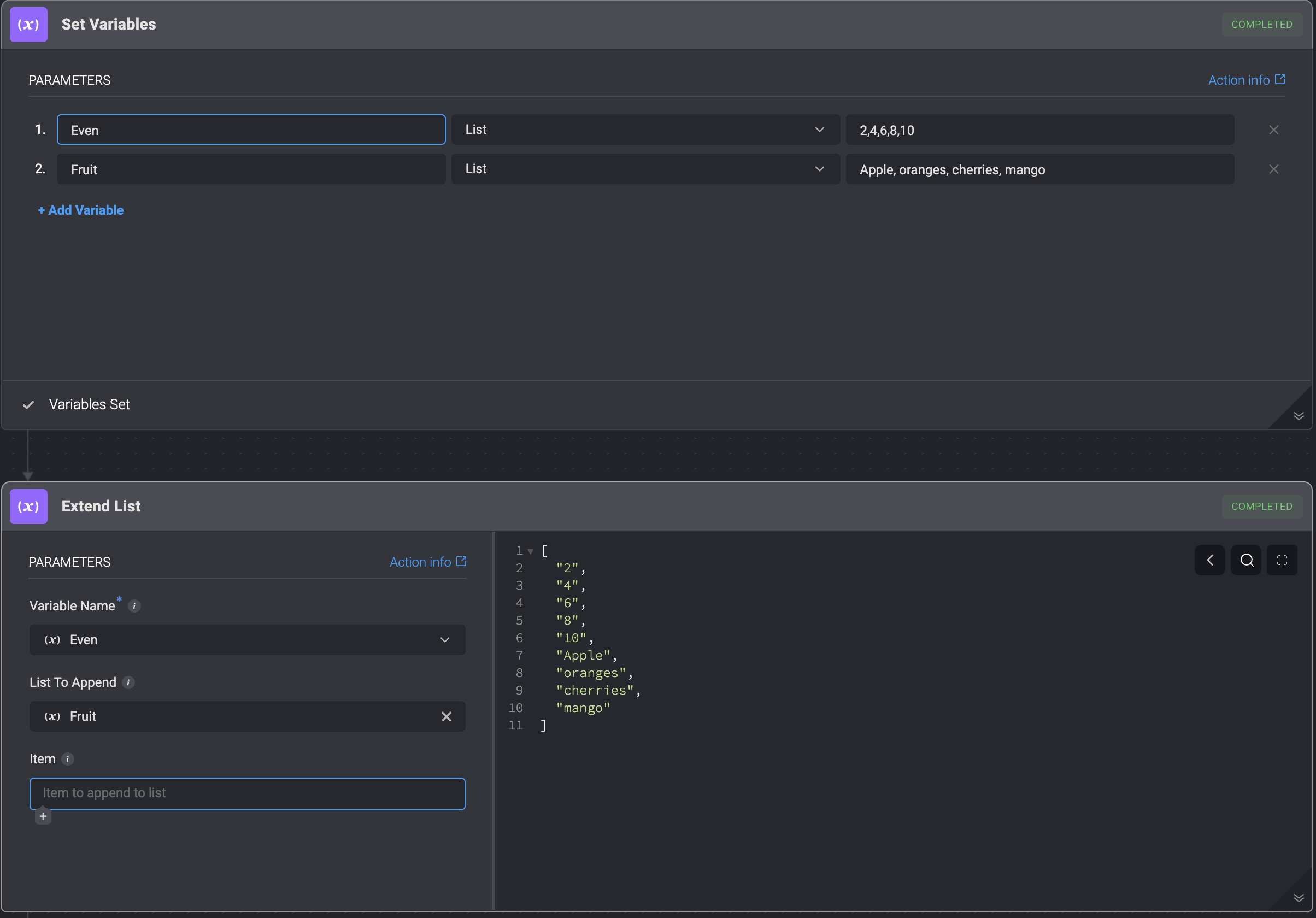 3. Append both a variable and a second list to the end of the original list
 ## Filter Array
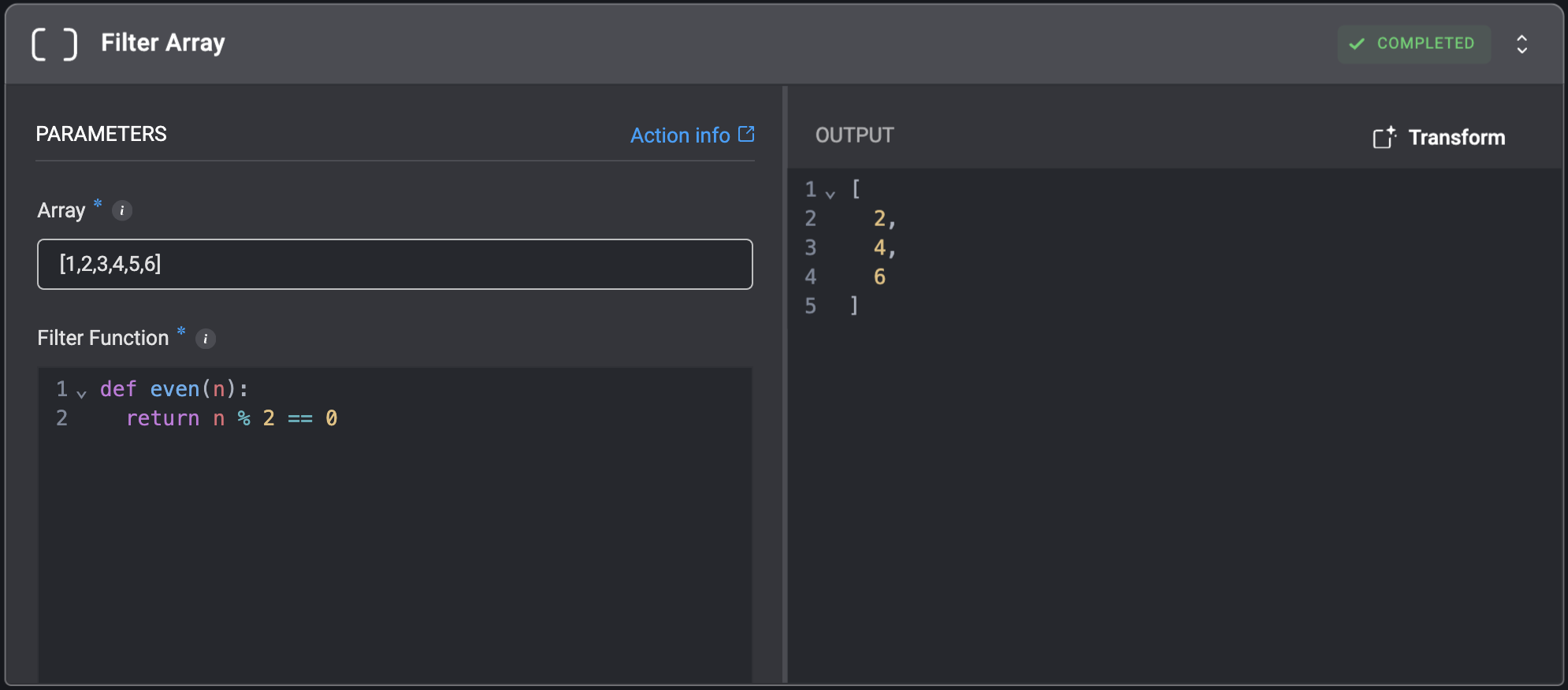
Filter array elements using a `Filter Function`.
## Filter Array
Filter array elements using a `Filter Function`.
| Parameter | Description |
| --------------- | ------------------------------------------------------------------------------------------------------------------------------------------------------------------------------------------------------------------------------------------------------------------------------------------------------------------------------------------------------------------------------------------------------------------------------------------------------------- |
| Array | The array to be filtered.
Value must be a valid array or a comma-separated list. |
| Filter Function | A Python function that determines which elements to keep in the array.
The `Filter Function` is executed **individually for each element** in the input `Array`. For every element, the function should:
- Return `True` if you want to include that element in the resulting filtered array.
- Return `False` if you want to exclude that element.
For example:
def even(n): return n % 2 == 0 |
 ## Get Array Length
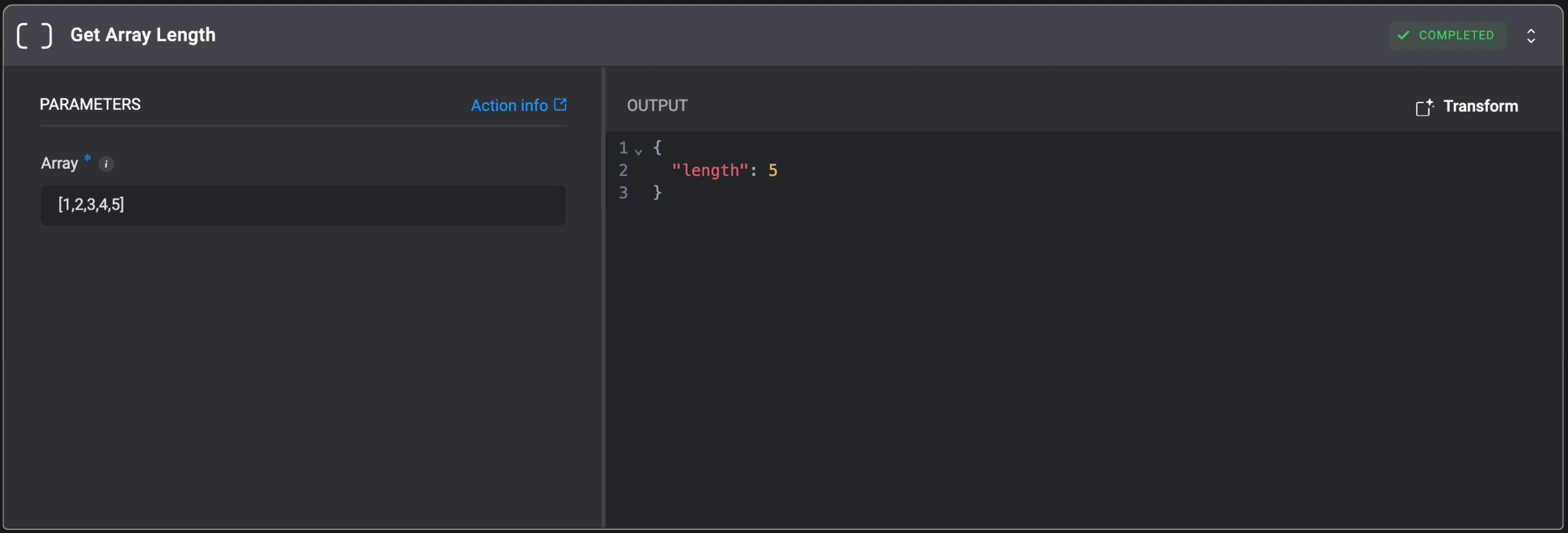
Get the number of elements in a specified array.
## Get Array Length
Get the number of elements in a specified array.
| Parameter | Description |
| --------- | ------------------------------------------------------------------------------------------------- |
| Array | The array to get the length of.
Value must be a valid array or a comma-separated list. |
 ## Get Item From Array
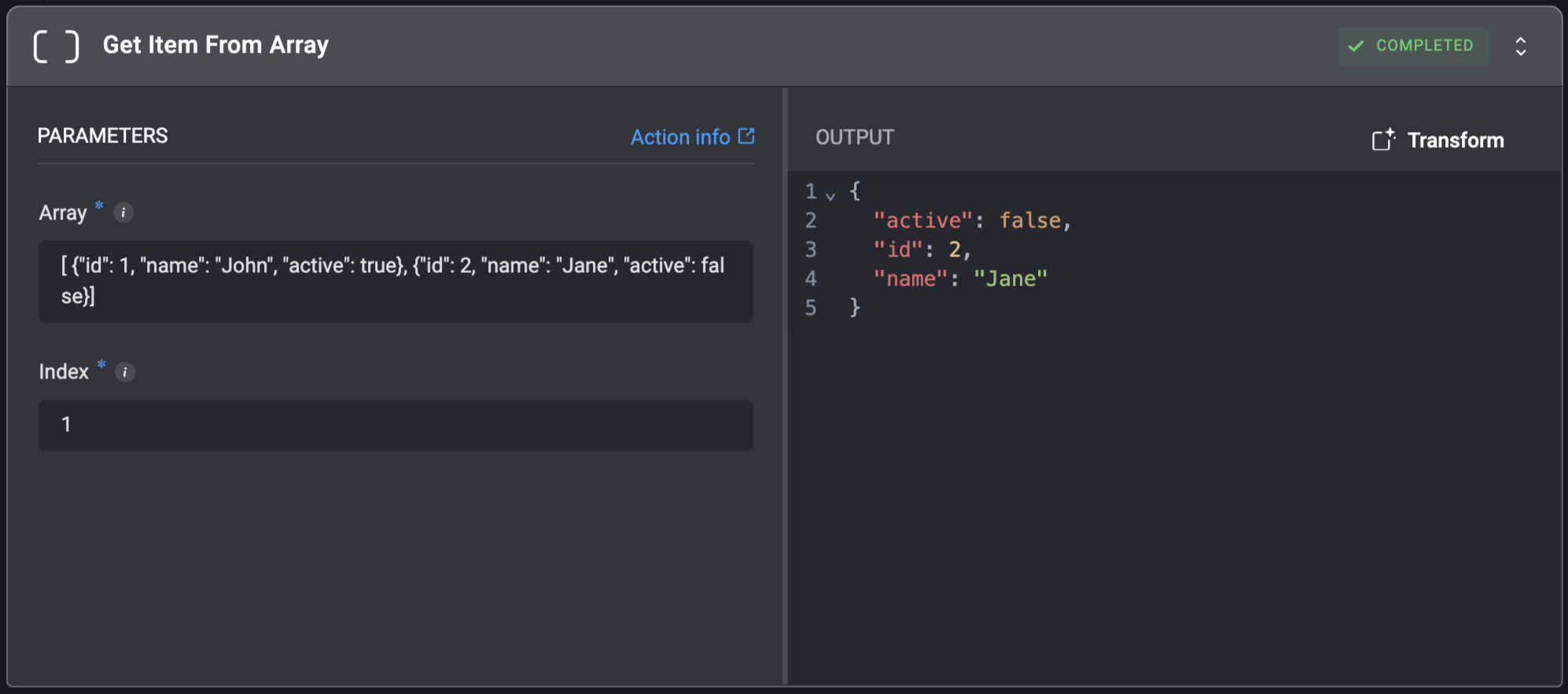
Get a single item from an array at the specified index position.
## Get Item From Array
Get a single item from an array at the specified index position.
| Parameter | Description |
| --------- | -------------------------------------------------------------------------------------------------------------- |
| Array | The array from which to retrieve an element.
Value must be a valid array or a comma-separated list. |
| Index | The position of the item to get. The first item has an index of `0`. |
 ## Get Random Item From Array
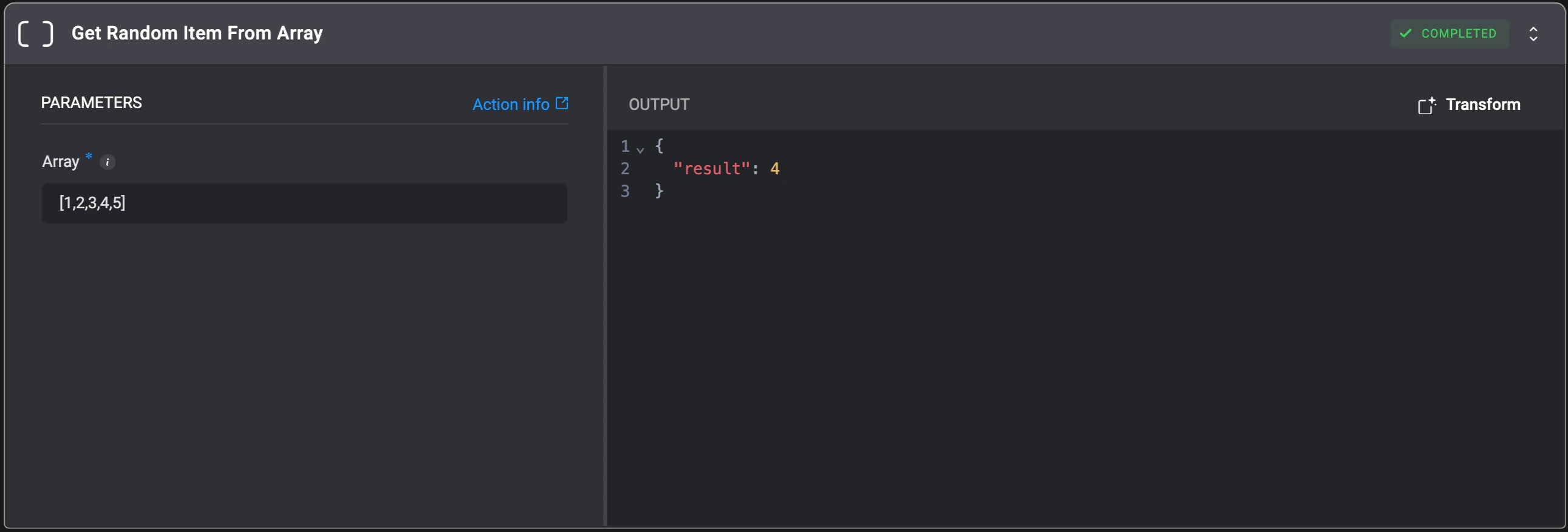
Get a random item from a specified array.
## Get Random Item From Array
Get a random item from a specified array.
| Parameter | Description |
| --------- | --------------------------------------------------------------------------------------------------------------- |
| Array | The array from which to select a random item.
Value must be a valid array or a comma-separated list. |
 ## Remove Duplicates From List
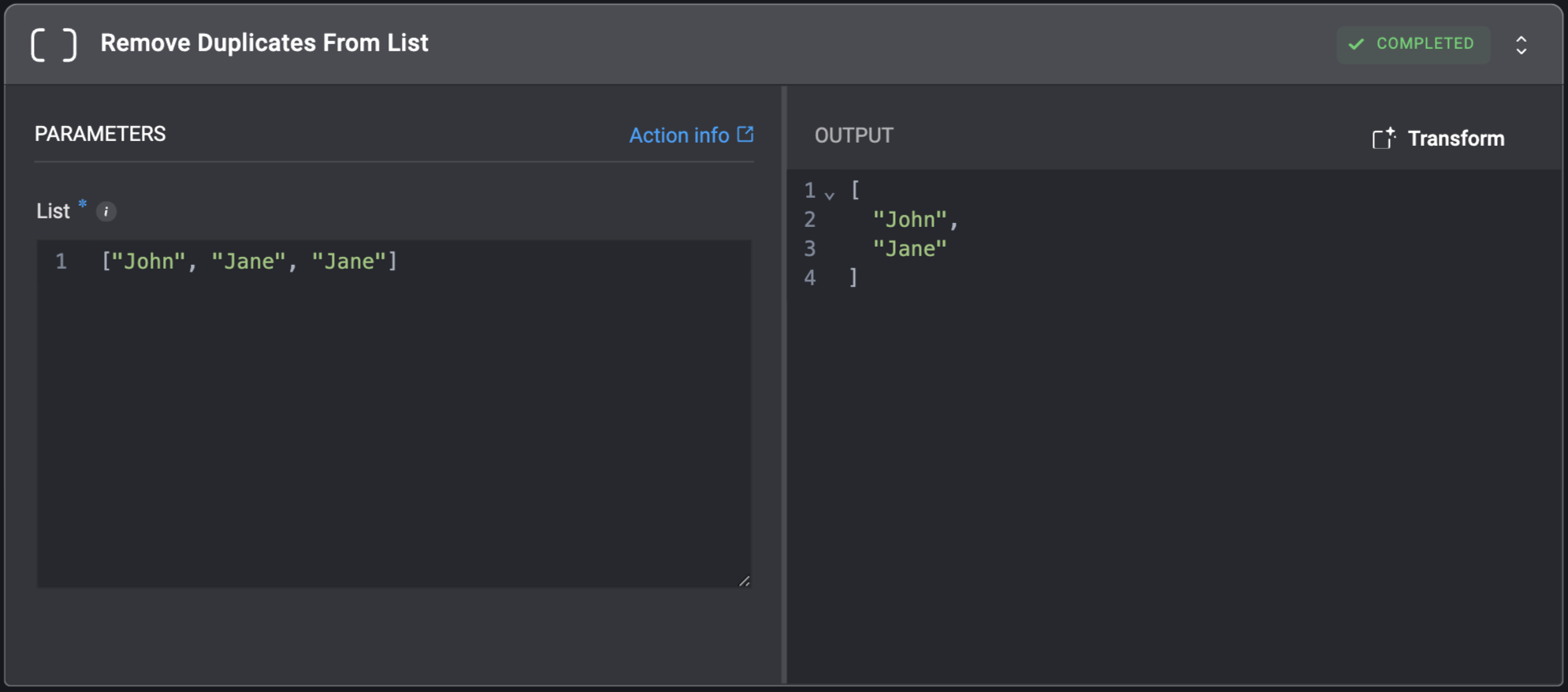
Removes duplicate elements from a list.
## Remove Duplicates From List
Removes duplicate elements from a list.
| Parameter | Description |
| --------- | -------------------------------------------------------------------------------------------------------------------------------------- |
| List | The JSON list to remove duplicates from.
For example: The input list `[1,2,2,1]` will result in the output list `[2,1]`. |
 ## Remove From JSON List
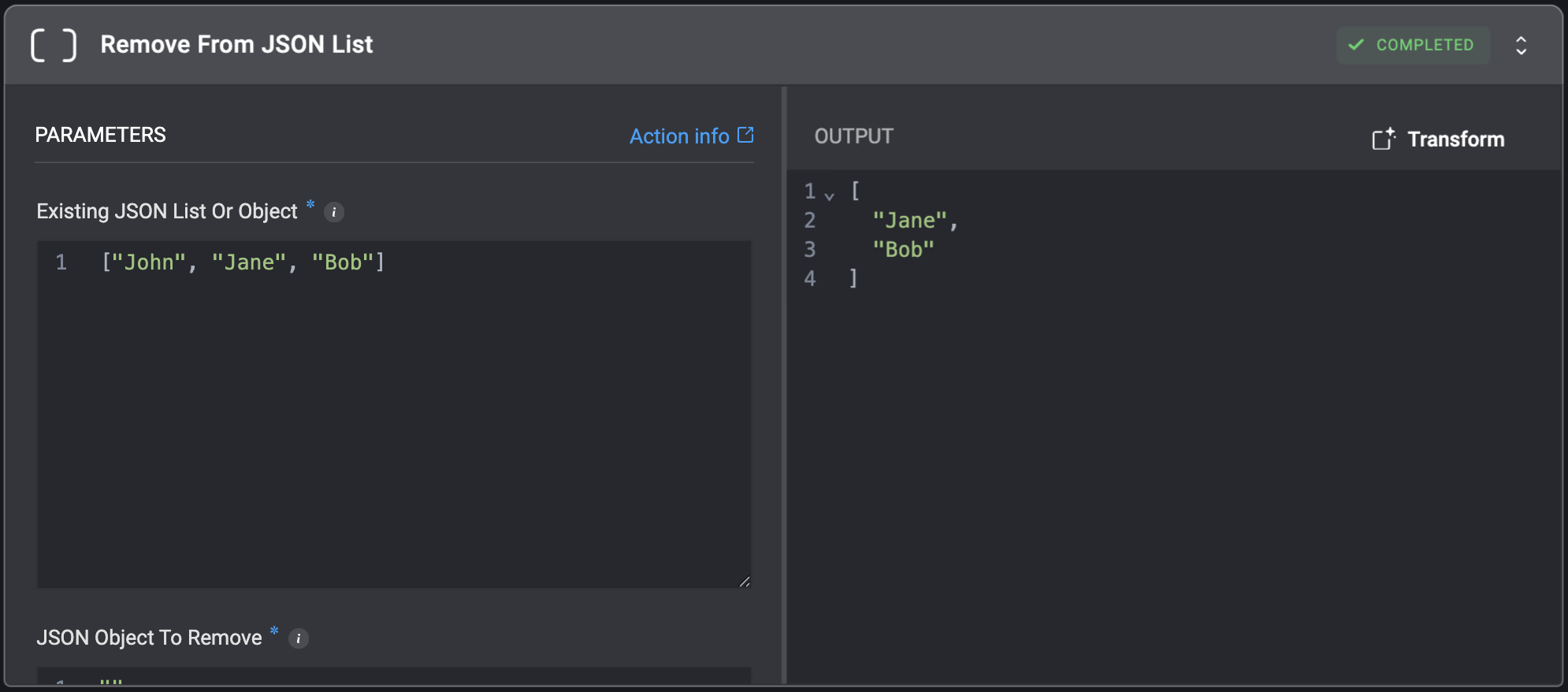
Remove an object from a list within a JSON object. All instances of the object will be removed from the list.
## Remove From JSON List
Remove an object from a list within a JSON object. All instances of the object will be removed from the list.
| Parameter | Description |
| ---------------------------- | -------------------------------------------------------------------------------------------------------------------------------------------------------------------------------------------------------------------------------------- |
| Existing JSON List Or Object | The JSON list or object from which the object will be removed. Note that nested keys are only applicable to JSON objects, not lists. Also, ensure that the nested key provided points to an existing JSON list inside the JSON object. |
| JSON Object To Remove | The concrete object to remove. Ensure that the provided object is equal to the desired object to remove. |
| Nested Object Key | The nested object key to remove the data from. This parameter can only be used when the existing JSON is an object. |
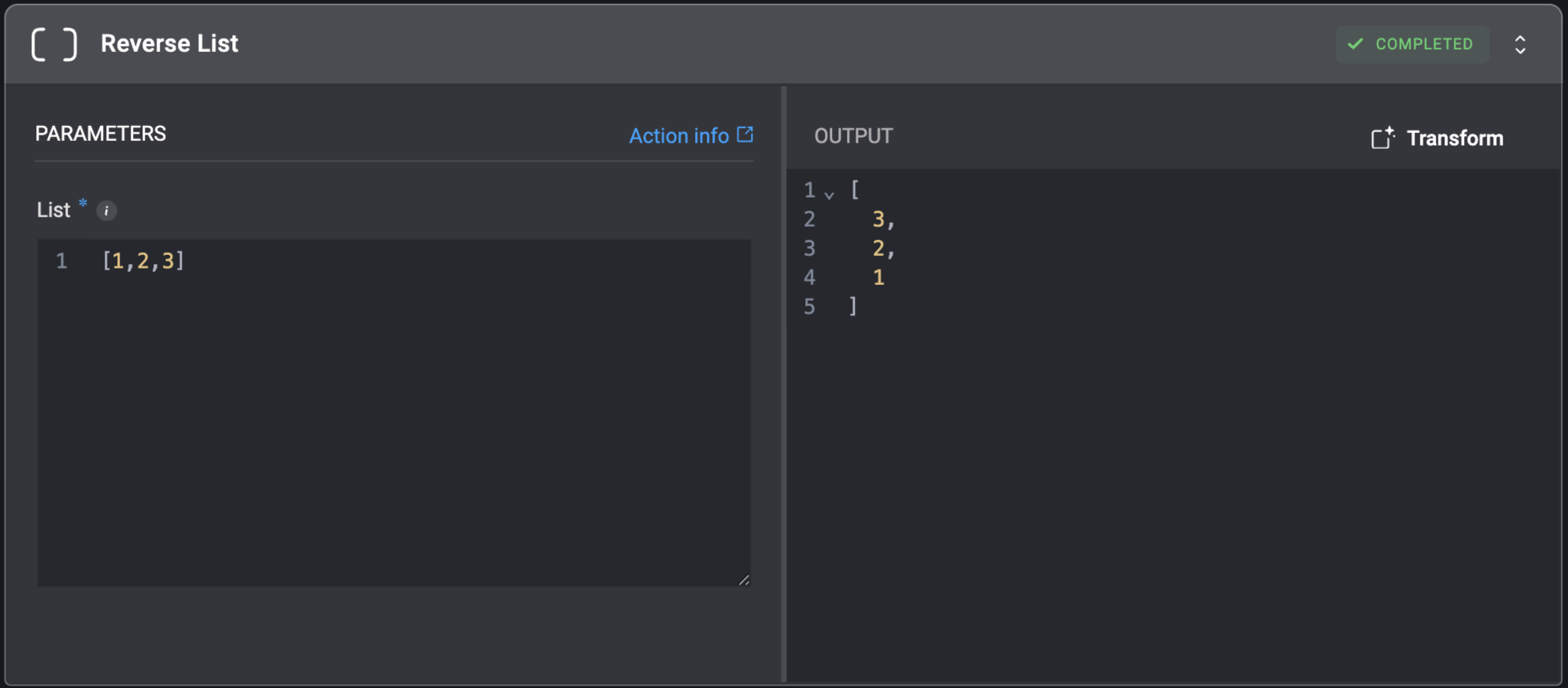
 ## Reverse List
Reverses the order of elements in a list.
For example: The list `[8,12,2,6]` will result in the output list: `[6,2,12,8]`.
## Reverse List
Reverses the order of elements in a list.
For example: The list `[8,12,2,6]` will result in the output list: `[6,2,12,8]`.
| Parameter | Description |
| --------- | ------------------------------------------------------------------------------------------------------------------------ |
| List | The JSON list to reverse.
For example: The input list `[1,2,3]` will result in the output list `[3,2,1]`. |
 ## Slice Array
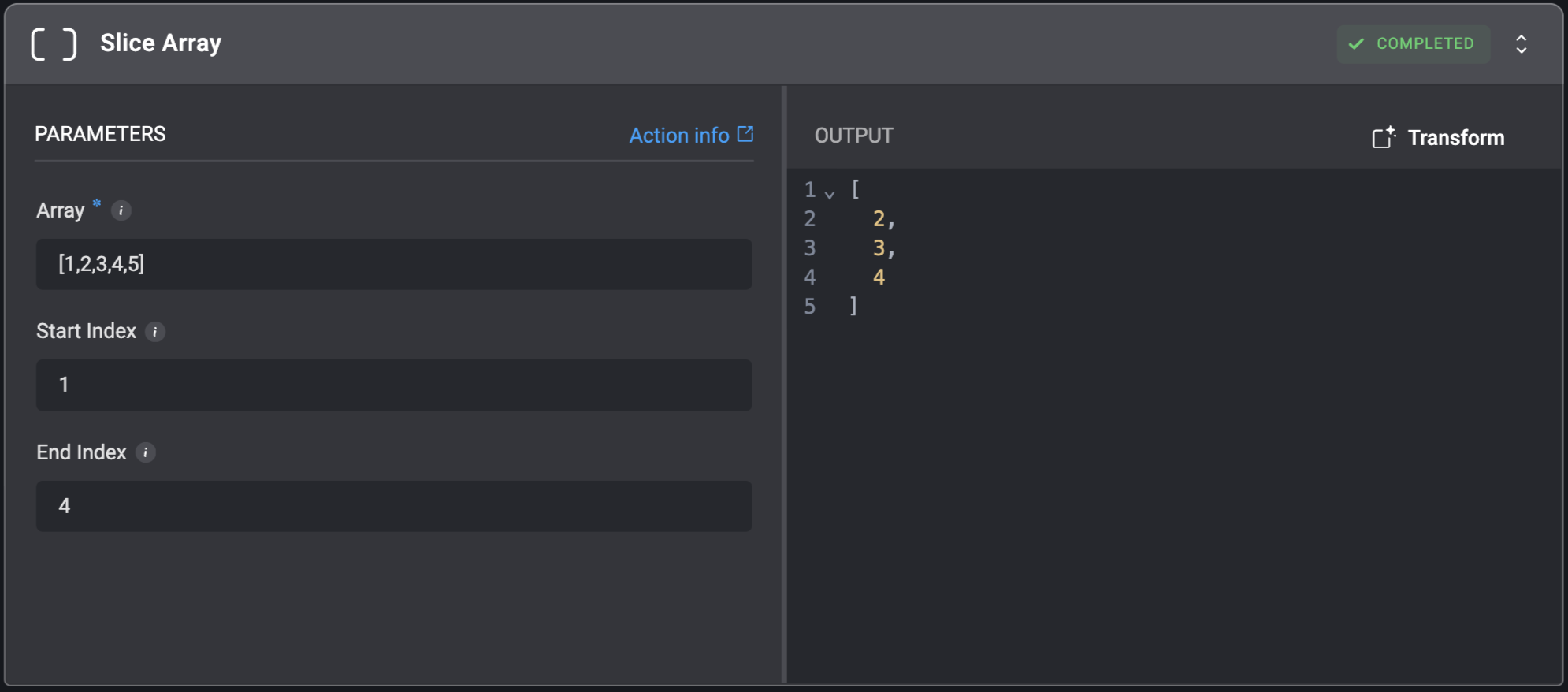
Slice elements from an array between `Start Index` and `End Index`.
The new array will contain elements from the source array beginning at `Start Index` (inclusive) up to but not including `End Index` (exclusive).
## Slice Array
Slice elements from an array between `Start Index` and `End Index`.
The new array will contain elements from the source array beginning at `Start Index` (inclusive) up to but not including `End Index` (exclusive).
| Parameter | Description |
| ----------- | --------------------------------------------------------------------------------------------------------------------------------------------------------------------------------------------------------------------------------------------- |
| Array | The array to slice elements from.
Value must be a valid array or a comma-separated list. |
| Start Index | The index of the first element to include in the slice.
- The first element of the array has an index of `0`.
- Defaults to `0` if not specified, effectively starting from the beginning of the array.
|
| End Index | The index of the element *after* the last element to include in the slice.
- The slice includes elements up to, but not including, this index.
- If not provided, the slice will go to the end of the array.
|
 ## Sort Array
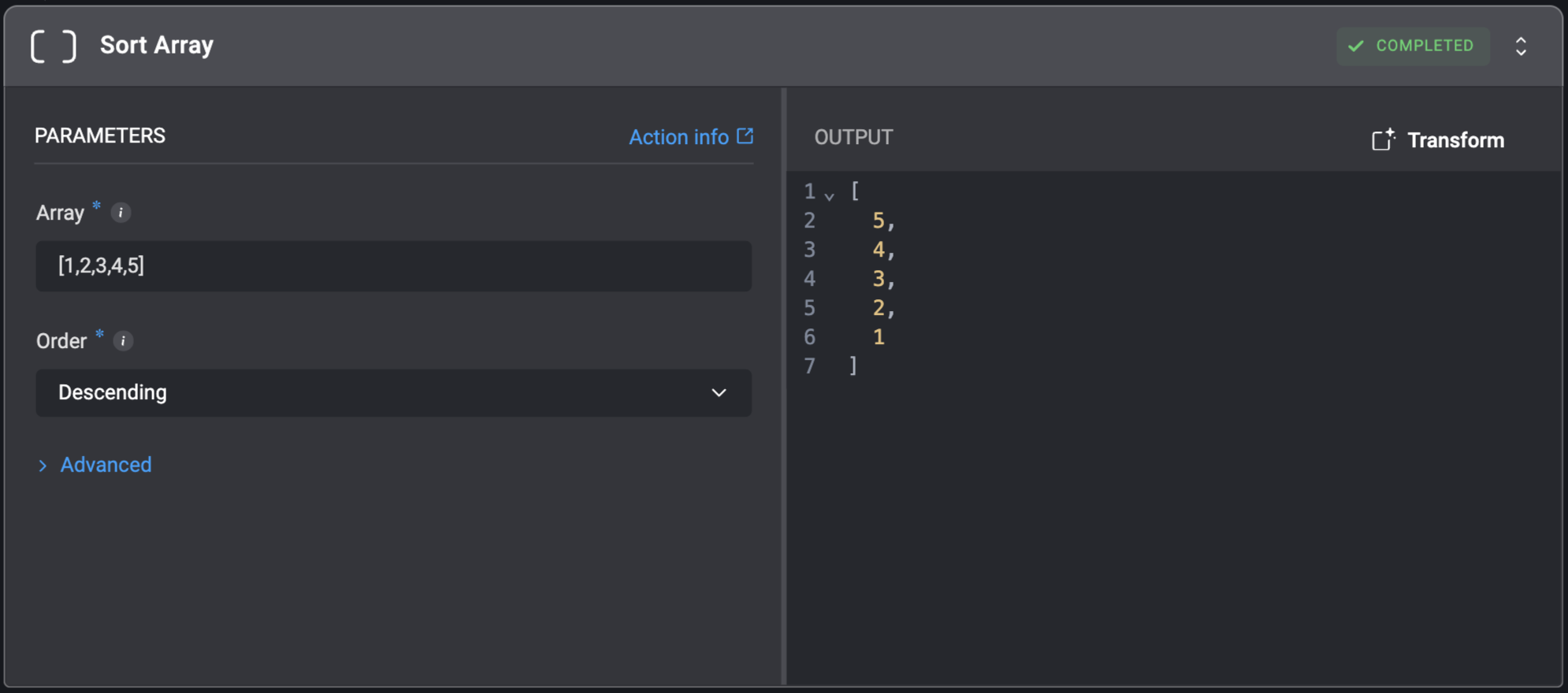
Sort array elements of the same type in ascending or descending order.
## Sort Array
Sort array elements of the same type in ascending or descending order.
| Parameter | Description |
| ------------------- | ------------------------------------------------------------------------------------------------------------------------------------------------------------------------------------------------------------------------------------------------------------- |
| Array | The array to be sorted.
Value must be a valid array or a comma-separated list. |
| Order | Select the sorting direction for the array. |
| Comparison Function | A Python function used to extract a comparison key from each element. Used for sorting complex or mixed-type arrays.
This function must return a comparable value.
For example:
def myFunc(item): return item\['property'] |
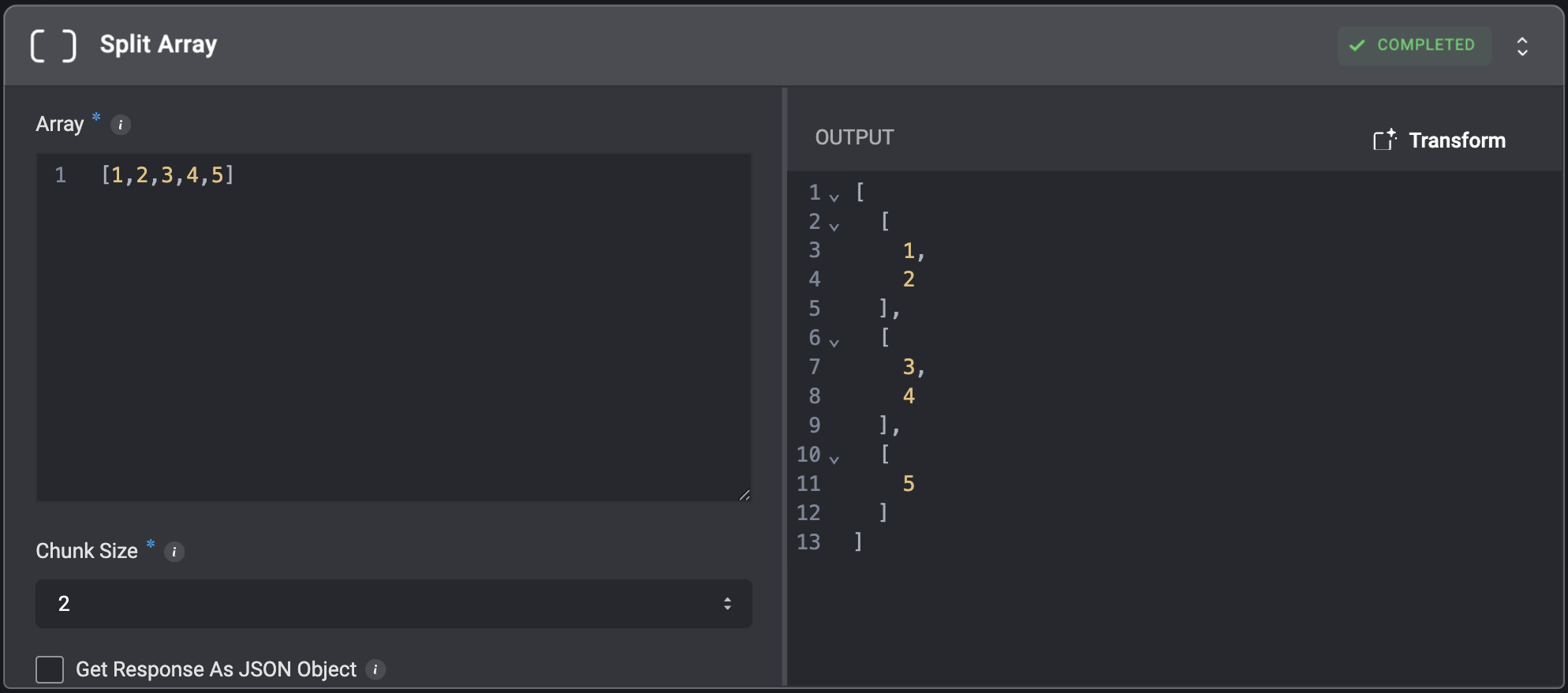
 ## Split Array
Split a single array into multiple smaller arrays (chunks) of a specified size.
## Split Array
Split a single array into multiple smaller arrays (chunks) of a specified size.
| Parameter | Description |
| --------------------------- | ----------------------------------------------------------------------------------------- |
| Array | The array to be sorted.
Value must be a valid array or a comma-separated list. |
| Chunk Size | The maximum size of the chunks that will be created. |
| Get Response As JSON Object | Select to get the result as JSON object instead of a nested array. |