Alert Ingestion Workflows Structure
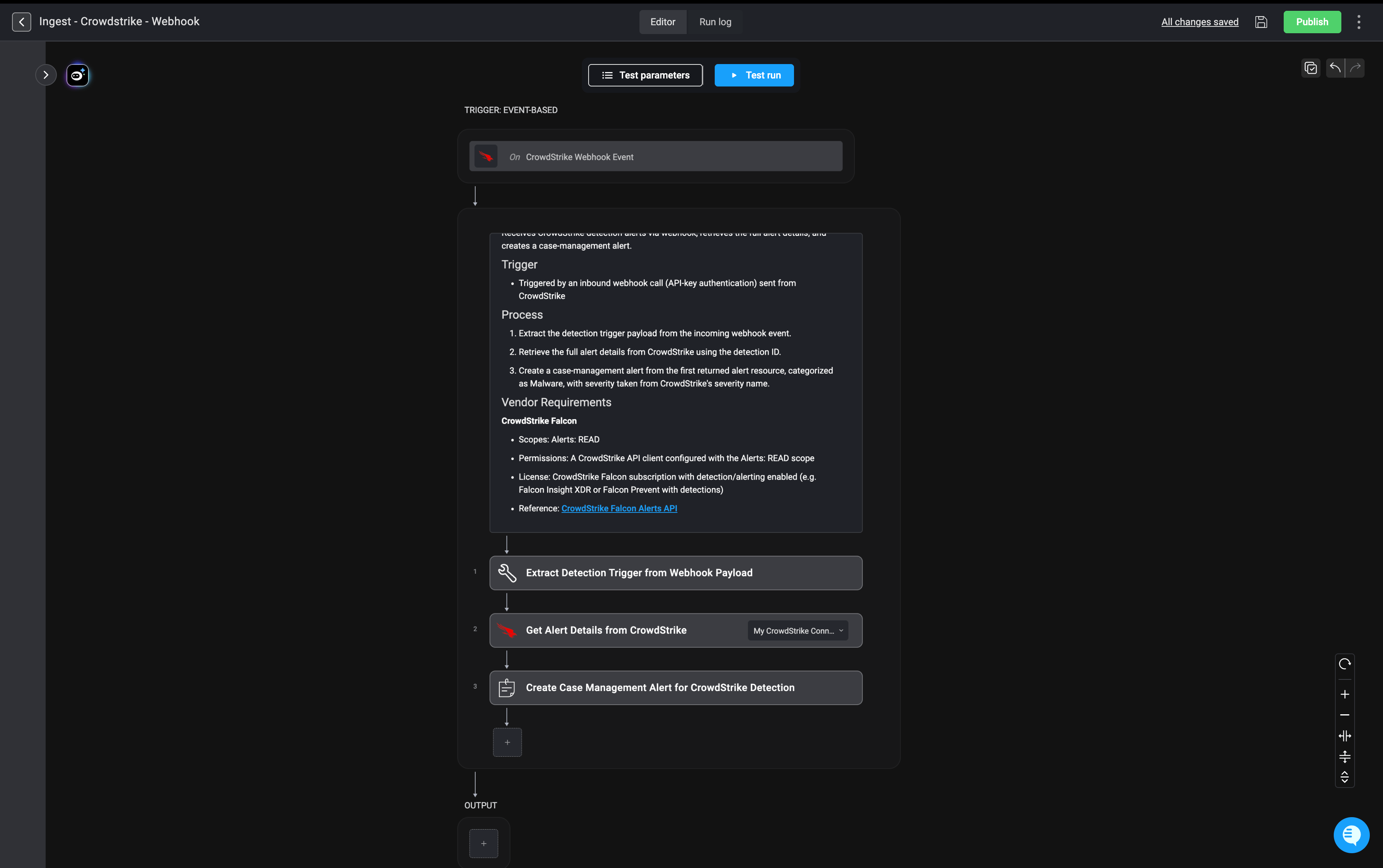
Each alert ingestion workflow consists of one or two key steps: Event-Based Trigger: Initiates the workflow when a new alert is detected, either via webhook or polling. Webhooks provide real-time notification without delay, while polling ensures alerts are retrieved on a regular schedule if webhooks are not available. Alert Retrieval (Optional): In some cases, the initial event does not include all necessary alert details. When this happens, an additional API call is made to the vendor’s platform to retrieve the full alert payload. For example, with integrations like CrowdStrike, the webhook only provides a reference ID, requiring a follow-up request to gather complete alert information. Create Alert: Once the alert data is collected, this step creates a new alert record within Blink’s Case Management system, ensuring the alert is properly logged for tracking, investigation, and response.Create Alert Action Fields
Create Alert Action Fields
Mapping Alert Severity to Blink’s System
Different security tools often report severity using their own scales—numeric values, labels, or custom levels. To ensure consistent prioritization in Blink, you can map these varying severity values, in the advanced settings of the Create Alert action, to Blink’s standardized severity levels (Low=1, Medium=2, High=3, Critical=4). For Example: Example Payload:50.
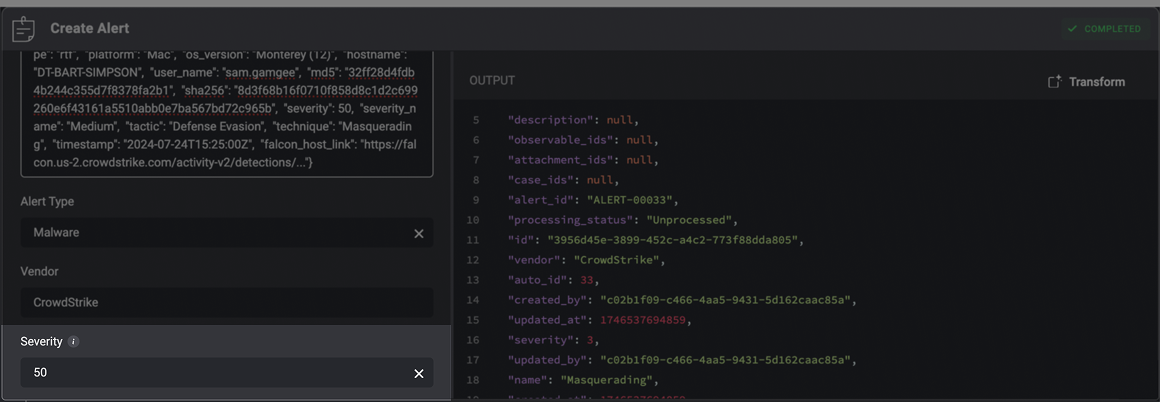
50 is mapped to Blink’s High severity level, which corresponds to a severity rank of 3 in the output.You can customize these mappings to ensure external alert severity levels align with your internal triage and prioritization standards.
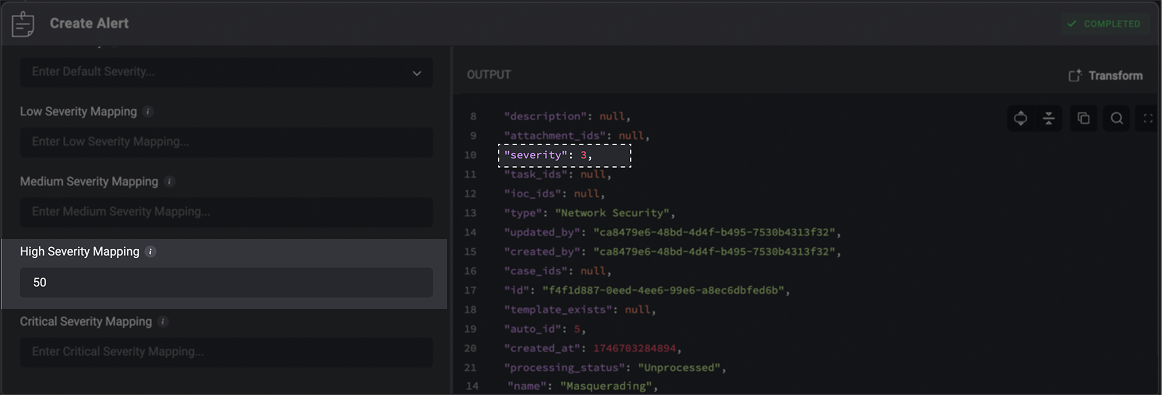
Blink’s severity levels are ranked as:
- Low =
1 - Medium =
2 - High =
3 - Critical =
4
Example of an Alert Ingestion Workflow
This workflow ingests CrowdStrike detections into Blink Case Management platform and converts them into standardized alerts that analysts can investigate and respond to. The workflow is triggered whenever CrowdStrike sends an alert detection event to a Blink webhook. Once triggered, the workflow performs three steps:- Extract the detection information
- The workflow parses the incoming webhook payload and retrieves the CrowdStrike detection ID.
- Retrieve the complete alert details
- Using the detection ID and the configured CrowdStrike connection, Blink queries CrowdStrike for the full alert record. This provides additional context that may not be included in the initial webhook payload.
- Create a Case Management alert
- Blink uses the first alert returned by CrowdStrike to create a new alert in Case Management. The alert is categorized as Malware, and its severity is mapped from CrowdStrike’s severity value.