

Editing A Record
If you wish to edit any record values, simply double-click on the record you want to modify. Make the necessary changes and then click outside the cell to automatically save your updates. For Example: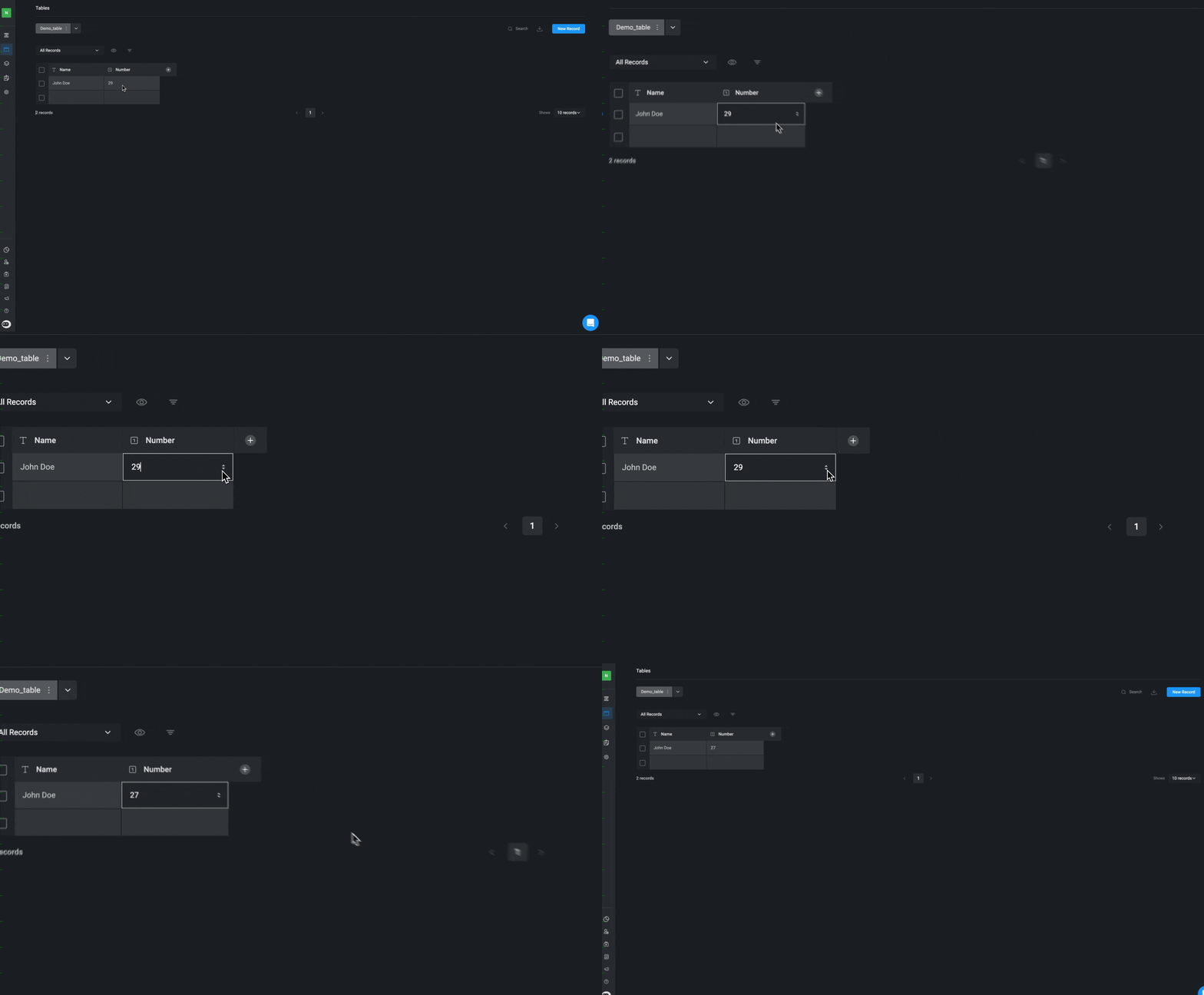
Deleting A Record
1
Navigate to the dropdown menu
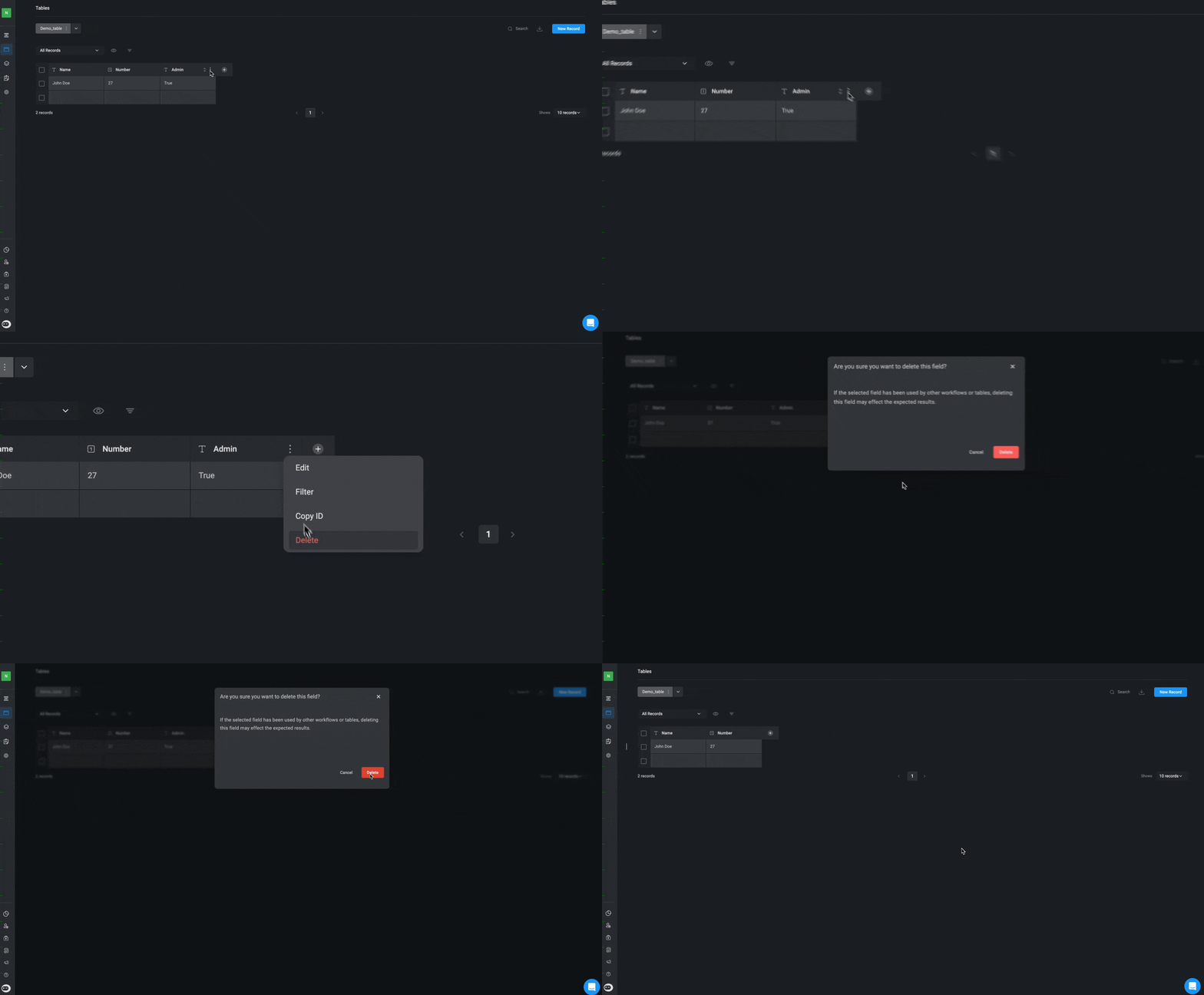
Select the specific record(s) you want to delete by clicking on the icon and selecting the “Delete” button.
2
Confirm and Delete the Record
A pop-up will open, asking you to confirm that you want to delete the selected record. Click the “Delete” button to remove the selected record from the table.
Deleting A Table
1
Navigate to the dropdown menu
Hover over the relevant name of the table you want to delete, click on the icon
and select the “Delete” button.2
Confirm and Delete the Table
A pop-up will open, asking you to confirm that you want to delete the selected Table. Click the “Delete” button to remove the table.
Related Articles
Tables
Learn how to create your first table
Using Tables in Workflows
Learn more about creating and using table actions in Workflows
Basic Table Operations
Learn more about basic table operations
Table Views
Learn more about filtering, sorting, ordering and browsing the table records