Overview
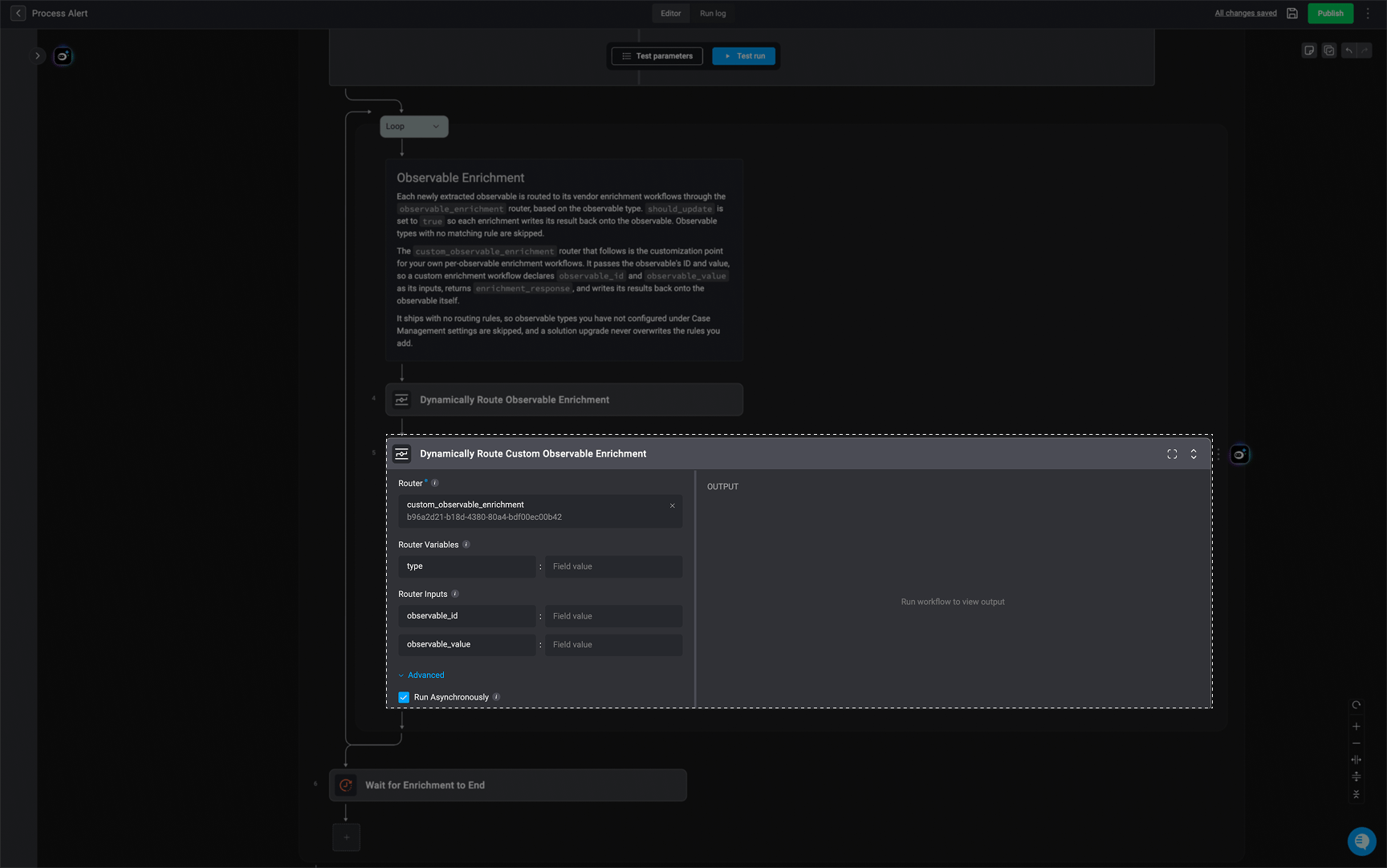
Observable enrichment adds context and intelligence to observables extracted from alerts, such as IP addresses, domains, email addresses, URLs, usernames, and file hashes. It retrieves relevant information from external enrichment sources and uses this data to build a more complete observable profile, helping analysts better understand and assess each observable. Observable enrichment is an important part of the Process Alert Workflow. Enrichment workflows are configured and deployed through the Deployment Wizard, while the observable types they apply to are configured in the Observable Enrichment Settings found in the Case Management Settings. For each observable type, you can configure one or more observable enrichment workflows. When an observable is processed, the configured workflows that match its type run automatically and add enrichment data to the observable’s profile. The Dynamically Route Observable Enrichment router connects these configurations. It evaluates the observable’s type against the routing rules configured in Case Management settings and routes the observable to the appropriate observable enrichment subflow deployed through the Deployment Wizard.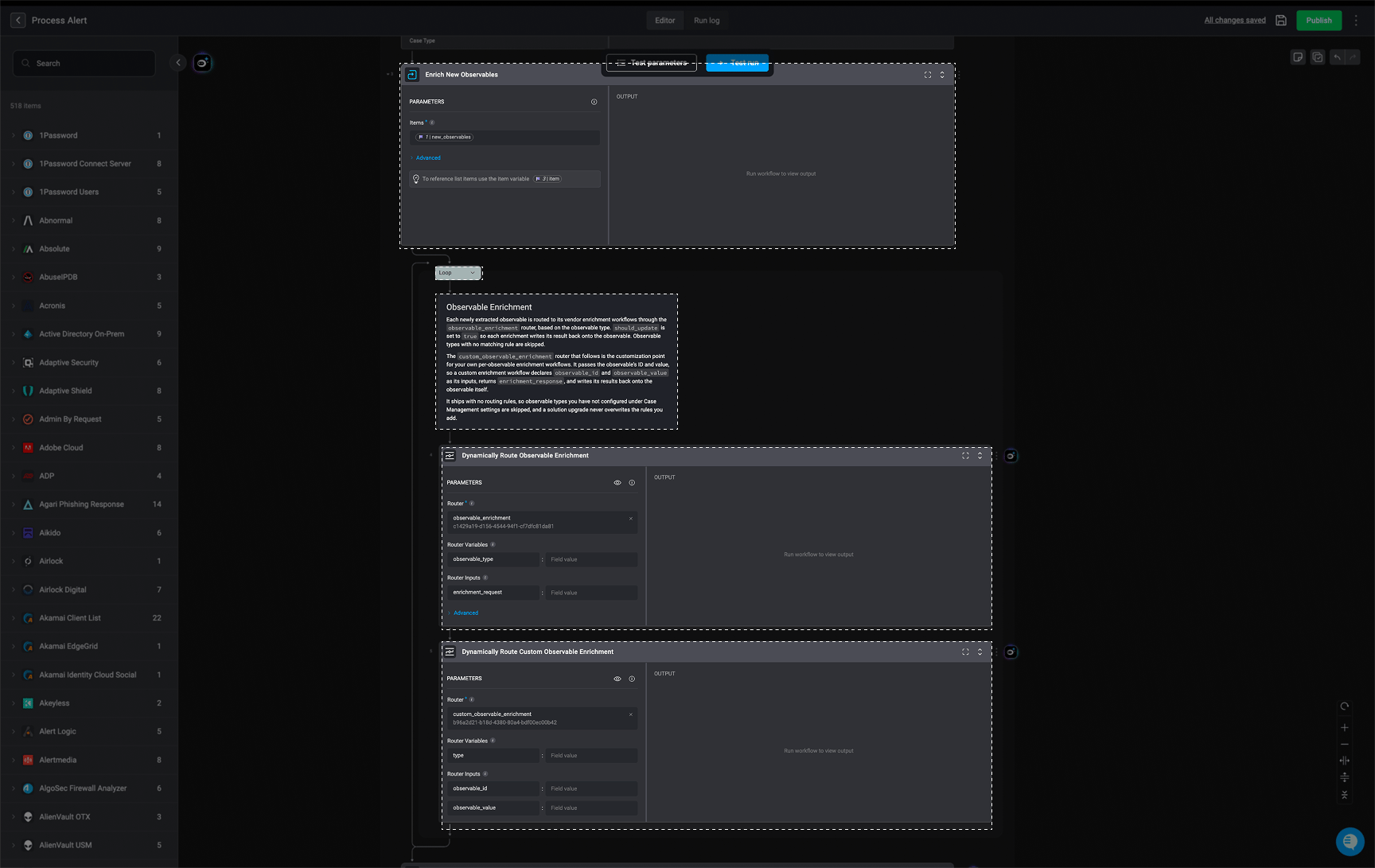
Observable Enrichment Dynamic Routers
1. Dynamically Route Observable Enrichment
The Dynamically Route Observable Enrichment Dynamic Subflow Router routes each extracted observable to the appropriate vendor enrichment workflow. The available enrichment workflows are configured and deployed through the Deployment Wizard. In Case Management settings, you configure which observable enrichment workflows should run for each observable type. When an observable is processed, the router evaluates its type against the configured routing rules and selects the matching enrichment subflow. The selected workflow then runs automatically and retrieves enrichment data for the observable. The enrichment result is written back to the observable, contributing to its observable profile. For example, you can configure different enrichment workflows for IP addresses, domains, and file hashes. When an IP address is extracted, the router identifies the rules configured for the IP address observable type and runs the corresponding enrichment workflow. You can configure one or more enrichment workflows for each observable type. Only workflows that support the required enrichment input structure are available for selection.Note: Observables with no matching routing rule are skipped and are not sent to an enrichment subflow.
- Router – The Dynamic Subflow Router that determines which enrichment subflow to run based on the configured routing rules.
- Router Variables – The values the router evaluates against its routing rules. In this workflow, the observable type is used to determine which enrichment subflow should be selected.
- Router Inputs – The values passed to the selected enrichment subflow when it runs. The available inputs are determined by the input interface defined for the router.
- Run Asynchronously – Determines whether the workflow waits for the selected subflow to finish. When enabled, the router immediately returns the subflow’s execution ID and continues with the rest of the workflow without waiting for the enrichment to complete.
2. Dynamically Route Custom Observable Enrichment
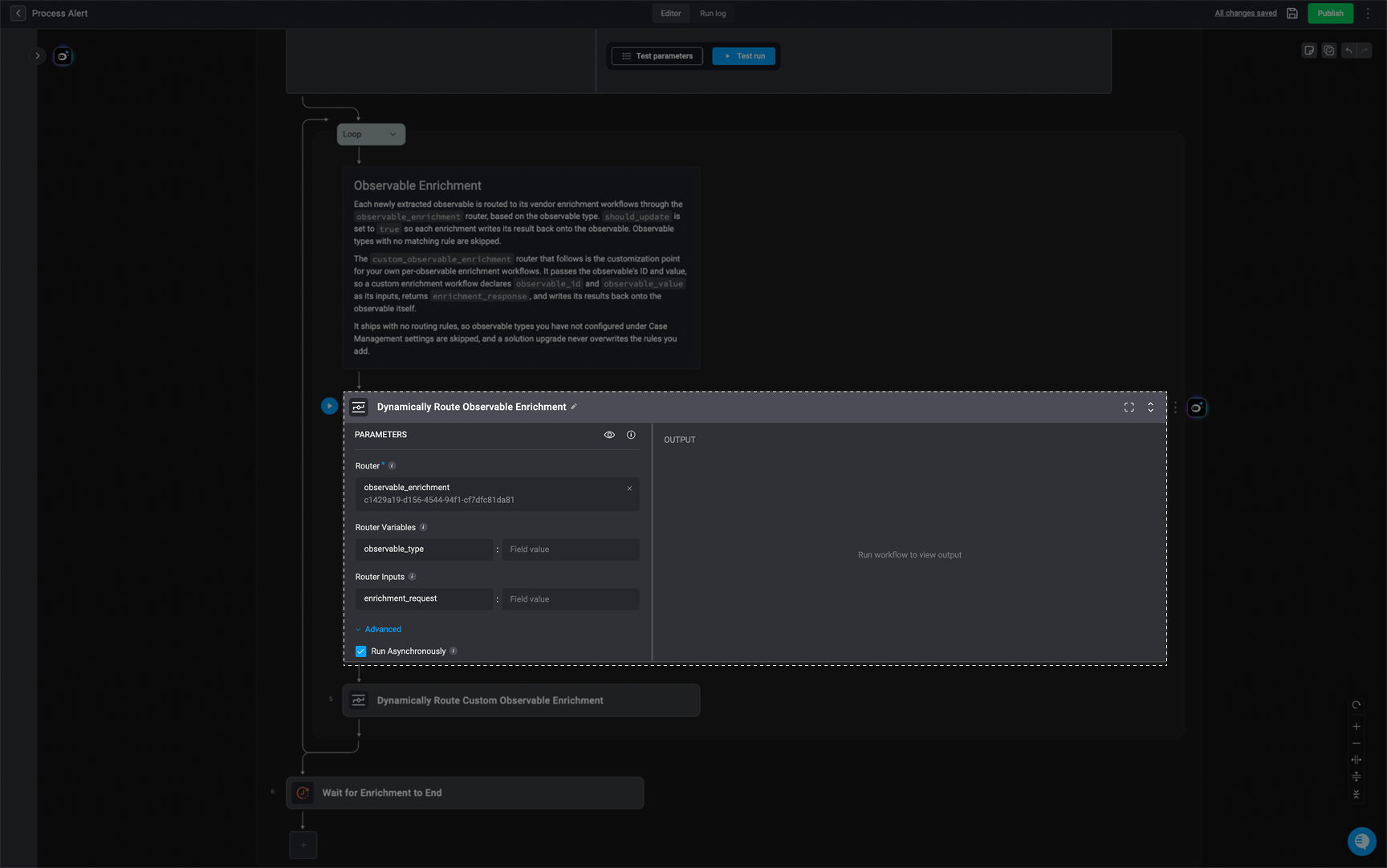
The Dynamically Route Observable Custom Enrichment Dynamic Subflow Router provides a customization point for creating your own observable enrichment workflows. Unlike vendor-specific enrichment workflows, this router allows you to define custom enrichment logic for your environment. Custom enrichment workflows are also configured through Case Management settings and deployed through the Deployment Wizard. The router passes the observable’s ID and value to the selected custom enrichment workflow. The workflow can then use these values to retrieve or generate enrichment data and return the result inenrichment_response.
For a custom enrichment workflow to be available for selection, its input interface must include both:
observable_id– The ID of the observable being enriched.observable_value– The value of the observable being enriched.
enrichment_response, which is then written back to the observable and contributes to its observable profile.
The router does not include any routing rules by default. You can add your own rules in Case Management settings to determine which observable types should be processed by your custom enrichment workflows. These rules are preserved when the solution is upgraded.
The Dynamically Route Observable Custom Enrichment router includes the following parameters:
-
Router – The Dynamic Subflow Router used to select the custom enrichment subflow. In this case, the router is the
custom_observable_enrichmentrouter. - Router Variables – The values the router evaluates against its routing rules to determine which custom enrichment subflow should run.
- Router Inputs – The values passed to the selected custom enrichment subflow. The available inputs are determined by the input interface defined for the router.
- Run Asynchronously – Determines whether the workflow waits for the selected subflow to finish. When enabled, the router immediately returns the subflow’s execution ID and continues with the rest of the workflow.